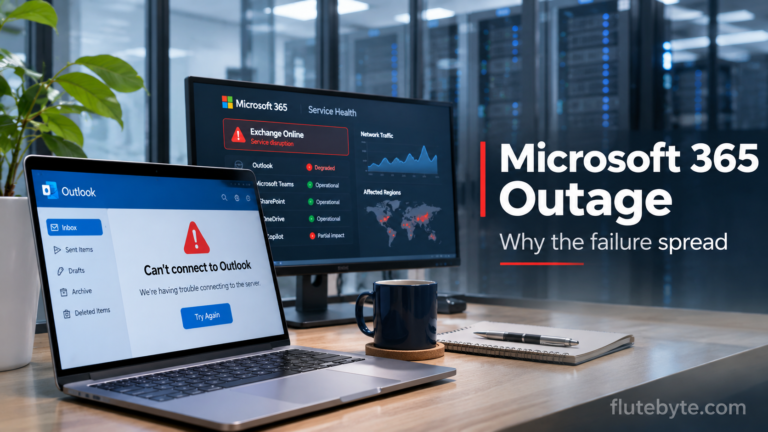

Trying to send an important email, but Outlook keeps showing a connection error? Or perhaps your inbox opens, but new messages aren’t arriving.
You’re probably experiencing the ongoing Microsoft 365 outage that started on 12 November 2026.
The disruption has affected Outlook, Exchange Online, and several connected Microsoft services worldwide.
Microsoft has reported progress in restoring its infrastructure, but some users are still facing intermittent issues and delayed email delivery.
While you can’t fix a Microsoft server outage yourself, there are a few practical steps you can take to keep your work moving.
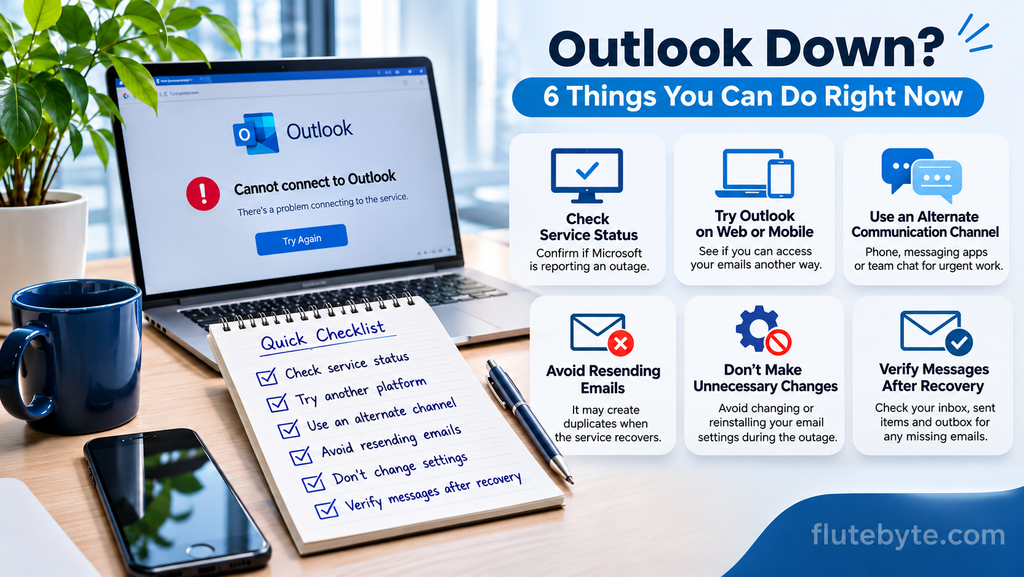
1. Check Whether Outlook Is Actually Down
Before changing your password or reinstalling Outlook, check whether Microsoft has reported a service problem.
You can verify the status through:
- Microsoft’s official service status page
- Downdetector
- Your organisation’s Microsoft 365 Admin Center under Health > Service health
If Microsoft confirms a disruption, troubleshooting your computer probably won’t resolve it.
2. Try Outlook on the Web or Mobile
If the desktop application isn’t connecting, try signing in through Outlook on the web or checking the Outlook mobile app.
Sometimes a problem affects one connection method more than another.
However, during this outage, Microsoft has confirmed problems across web, desktop, and mobile connections. These alternatives are worth testing, but they may not work.
If one version opens successfully, check whether it is displaying recent emails rather than older cached messages.
3. Use Another Communication Channel for Urgent Work
Waiting for Outlook to recover isn’t always practical, especially when you have clients or customers expecting responses.
For urgent communication, consider using:
- Phone calls for immediate decisions.
- WhatsApp Business or another approved messaging platform for customer updates.
- Microsoft Teams chat, if it is working for your organisation.
- An independently hosted company email service, if your business already has one configured.
Avoid sending confidential business information through personal email accounts without your organisation’s approval.
If you’re waiting for a payment confirmation, purchase order, or client approval, contact the sender through another channel and confirm the details.
4. Don’t Keep Resending the Same Email
An email that hasn’t appeared in the recipient’s inbox isn’t necessarily lost.
Microsoft has acknowledged delayed email processing and extended its email timeout window to 48 hours during recovery.
Repeatedly sending the same message could result in duplicate emails when delivery resumes.
Check your Outbox and Sent Items first. If the message is business-critical, contact the recipient directly and confirm whether they received it.
5. Avoid Unnecessary Changes to Your Email Settings
When Outlook stops connecting, it’s tempting to try every available troubleshooting method.
But during a confirmed Microsoft service outage, avoid unnecessary changes such as:
- Repeatedly removing and adding your email account.
- Reinstalling Outlook without evidence of a local problem.
- Changing your company’s DNS or MX records.
- Disabling security settings to force a connection.
These changes won’t repair Microsoft’s infrastructure and could create additional problems after services recover.
6. Prepare for Recovery and Check Missing Emails
As Outlook begins working again, don’t assume everything has immediately returned to normal.
Check your inbox, Sent Items, and Outbox. Send a test email to a trusted contact and ask them to reply.
If you manage business operations, review important communications involving invoices, customer orders, meeting invitations, and approvals.
You should also follow up on anything urgent that was supposed to arrive during the outage.
When Will Microsoft Outlook Be Fully Restored?
As of the latest verified update on 13 November 2026, Microsoft was reporting improved service availability in several regions, although intermittent problems remained.
The company had not confirmed complete restoration or provided a definite recovery time.
You can follow the latest developments through Microsoft’s official service status page.
Final Thoughts
The Outlook outage has interrupted everyday communication for businesses and individuals across the world.
For now, the most useful approach is to check the official status, use alternative communication channels for urgent matters, and avoid making unnecessary changes to your email account.
Once services recover, take a few minutes to verify that important messages have been delivered.
For businesses, this is also a good time to consider a simple backup communication plan so that an email outage doesn’t stop essential operations.
At Flutebyte Technologies, we develop custom business software, ERP systems, and digital applications that help organisations manage their daily operations.
Visit flutebyte.com to learn more.
Last status verified: 13 November 2026, approximately 6:15 PM IST.