
Ask your purchase manager how much was spent on plywood for the “Smith Office” project. Then ask your accounts manager the same question. If they give you two different numbers, or if it takes them three days of sorting through Excel files and physical invoices to find the answer, your business is suffering from disconnected data.
Interior design and execution involve many moving parts: designers drafting BOQs, factories cutting panels, procurement buying hardware, and site supervisors receiving materials. When these departments do not use a common language to identify the project, chaos follows. That common language is a single project code.
As an interior contractor or turnkey project company, you know that the operational reality of managing multiple sites is incredibly complex. However, the most expensive mistakes usually stem from a very basic administrative failure. When BOQ, purchase, site work, factory work, vendor bills, payments, and handover are handled separately, tracking true costs becomes a guessing game. Without a project code, nobody gets a complete project picture.
Table of Contents
The Cost of Disconnected Data in Interior Projects
In many interior contracting companies, different departments operate in silos. This isolation creates a ripple effect of inefficiency that touches every aspect of the project lifecycle. For instance, the sales team might call a project “Ocean View Hotel.” The factory might refer to it as “Client John – Phase 1.” Meanwhile, the accounts team might just file vendor bills under the vendor’s name without noting where the material went.
When there is no mandatory, single project code linking these activities, tracking project-wise material and cost becomes a manual, error-prone task. You cannot easily verify if the material ordered for a specific site actually reached that site, or if a vendor bill you are paying belongs to the current active phase of the project.
Why the “Client Name” System Fails
Many businesses start by tracking everything via client names. This works when you are managing one or two sites. But as you scale, this system quickly breaks down. Employees rely on client names or site locations instead of standardized alphanumeric codes.
The problem is compounded by disjointed technology. Consider the typical software stack for a growing interior firm: Sales uses CRM, procurement uses Excel, and accounts uses standalone accounting software. These systems do not talk to each other. Furthermore, materials are often shipped directly from the vendor to the site execution team without passing through a central warehouse, making paperwork harder to track without a unifying code.
The Real-World Impact: A Hotel Project Example
Consider a hotel interior project. The factory produces 50 modular headboards and dispatches them to the site. Meanwhile, the procurement team orders 100 bedside lamps to be delivered directly to the hotel location. Because there is no unified project code on the dispatch notes and purchase orders, the site supervisor receives the items but struggles to reconcile them with his site execution plan.
Later, a vendor submits a consolidated bill for lighting supplied to three different hotel projects. The accounts team has no project codes on the invoice to indicate how to allocate the costs, leading to inaccurate project profitability reports. Without a unified reference point, the accounts team is forced to act as investigators, chasing down purchase managers and site supervisors just to process a standard invoice.
What Happens When You Operate Without a Unified System
When an interior business scales without establishing a rigid data structure, profit margins erode silently. The lack of a connecting identifier leads directly to three critical operational failures:
- Inventory Loss: Materials are purchased but cannot be traced to a specific site execution stage. Materials pile up at the site, get damaged, or go missing because nobody can connect the physical item to the original purchase intent.
- Delayed Billing: Cross-checking vendor bills against site deliveries takes weeks, delaying vendor payments and project closure. A disorganized accounts payable process damages your vendor relationships and your credit terms.
- Inaccurate Margins: Without project-wise cost allocation, management only sees overall company profit, hiding individual projects that are losing money. You might assume every project is profitable, but in reality, two highly profitable projects are subsidizing a third project that is bleeding cash.
The Solution: Implementing a Single Project Code Strategy
Every interior project needs a single project code to act as a unique identifier that links all related documents—BOQ, Purchase Orders, Goods Receipt Notes (GRN), vendor bills, and client invoices—across different departments. Without it, financial and operational data become siloed, making it impossible to track the true cost, status, and profitability of a specific site.
A single project code is a unique alphanumeric tag assigned to an interior project upon creation. By making this code mandatory on every system entry (tenders, BOQ, BOM, RFQ, PO, GRN, and vendor bills), an interior business management software can pull data from all departments to generate accurate, real-time reports on project health, material consumption, and budget utilization.
The Correct Workflow for Project-Wise Material Tracking
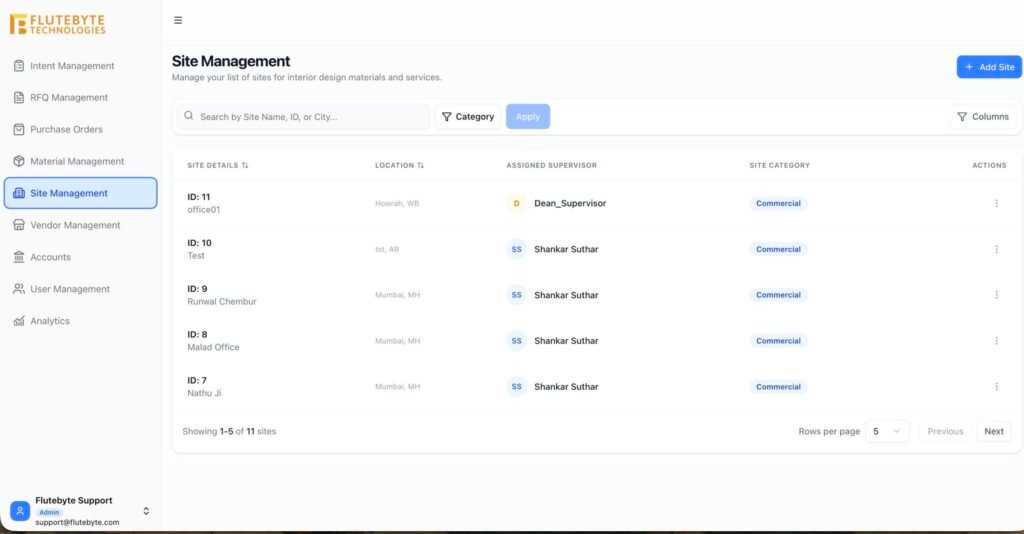
To bridge the gap between your departments, you must enforce a workflow that revolves entirely around this unified code. The proper operational structure follows these standard steps:
Step 1: Project Creation
Upon tender approval, the system generates a unique Project Code (e.g., PRJ-26-0045). This code becomes the permanent identity of the project across the entire organization.
Step 2: BOQ & BOM Tagging
The approved BOQ and resulting BOM are permanently tagged with this code. Utilizing professional BOQ management software ensures that your foundational budgets are always tied to the correct project identity from day one.
Step 3: Procurement Flow
Every RFQ and Purchase Order requires the Project Code to be selected. Buyers can utilize RFQ management software or procurement management software to negotiate rates, but they cannot formally issue a PO without linking it to the active project code.
Step 4: Site Execution & Accounts
When material is received (GRN) and vendor bills are booked, the project code ensures the cost is immediately deducted from PRJ-26-0045’s specific budget.
How Flutebyte’s Interior ERP Connects the Dots
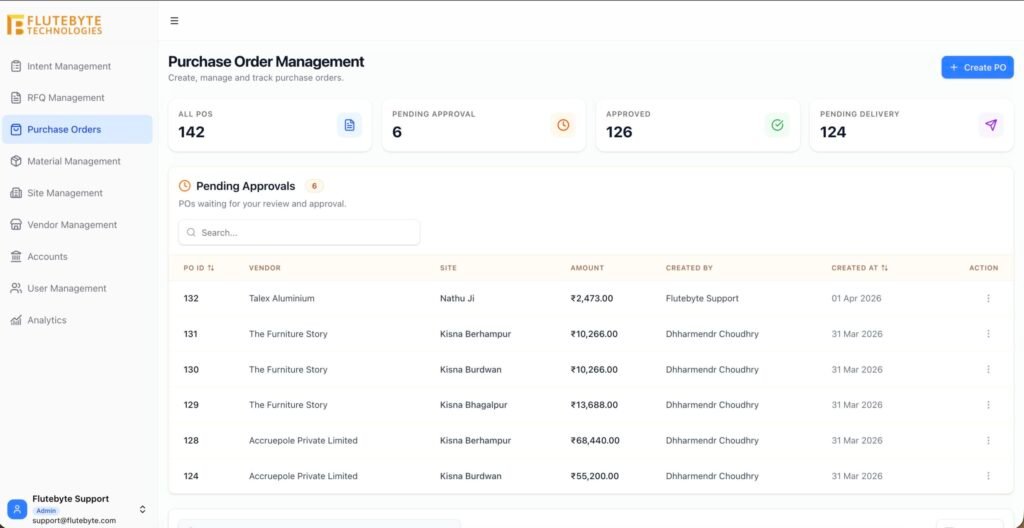
Flutebyte’s architecture is fundamentally built around the project code. It is the spine of the software. If you are looking for dedicated interior ERP software, it must inherently understand the complex, multi-stage nature of interior contracting.
- Centralized Tracking: From the moment an enquiry converts into a project, Flutebyte generates a mandatory project code.
- Cross-Module Integration: You cannot raise a PO, record a GRN, or process a vendor bill in Flutebyte without linking it to a project code. This forced compliance eliminates human error.
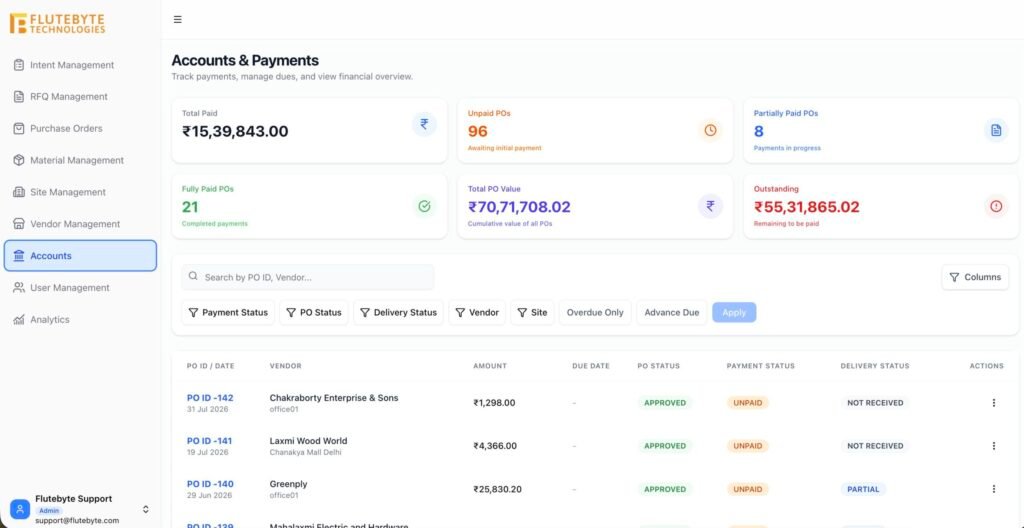
- One-Click Visibility: Because everything is linked, project managers can open the dashboard for a specific project code and instantly see BOQ status, pending POs, site inventory, and accounts payable, all in one view.
The Old Way vs. The ERP Way
To truly appreciate the value of a single project code, we must compare the traditional manual approach to a digitized ERP structure.
- Project Identification: The old way relies on names, addresses, or informal titles. The ERP way uses a standardized, system-generated alphanumeric code.
- Material Tracking: The old way involves guessing based on vendor delivery dates. The ERP way ensures exact tracking via project-coded POs and GRNs.
- Cost Allocation: The old way requires the manual sorting of invoices at month-end. The ERP way provides automatic allocation to the project budget upon entry.
- Reporting: The old way yields departmental reports that don’t match. The ERP way offers a unified dashboard pulling data via the project code.
Final Thoughts on Unifying Your Operations
Relying on informal names and disconnected software tools creates a mess of data that ultimately hurts your bottom line. Implementing a single project code strategy is the simplest, most effective way to unify your business operations. It acts as the anchor that holds your BOQ, procurement, site execution, and accounting together.
If your teams are currently speaking different operational languages, it is time to standardize. Flutebyte can help you map your current BOQ, procurement, and project workflow into a custom ERP structure built around your business process. Give your teams the tools they need to communicate accurately, track materials flawlessly, and protect your hard-earned margins.
Frequently Asked Questions (FAQs)
1. What is a project code in interior design?
It is a unique, standardized alphanumeric identifier assigned to a specific client project, used to tag all related documents, purchases, and communications.
2. Why can’t we just use the client’s name to track projects?
Clients may have multiple projects or phases over time. Names are also prone to spelling variations across departments, which breaks data tracking.
3. How does a project code help with vendor bills?
When vendors include the project code on their invoices, the accounts team instantly knows which project budget to allocate the expense to, avoiding delays.
4. Can an ERP generate project codes automatically?
Yes, interior business management software automatically generates sequential or rule-based project codes as soon as a tender or quotation is won.
5. How does a project code assist site execution teams?
It helps site supervisors verify that the materials arriving at their location were explicitly ordered for their site, preventing mix-ups with other ongoing projects.
6. Do we use the project code for factory production?
Absolutely. Factory dispatch notes must include the project code so the logistics team delivers the modular furniture to the correct site.
7. Can one project code have sub-codes?
Yes, large turnkey projects often use a master project code with sub-codes for different floors or phases (e.g., PRJ-001-FL1).
8. Is it hard to train staff to use project codes?
Not with an ERP. Modern ERPs make the project code a mandatory dropdown field, meaning staff cannot proceed with their tasks without selecting it.