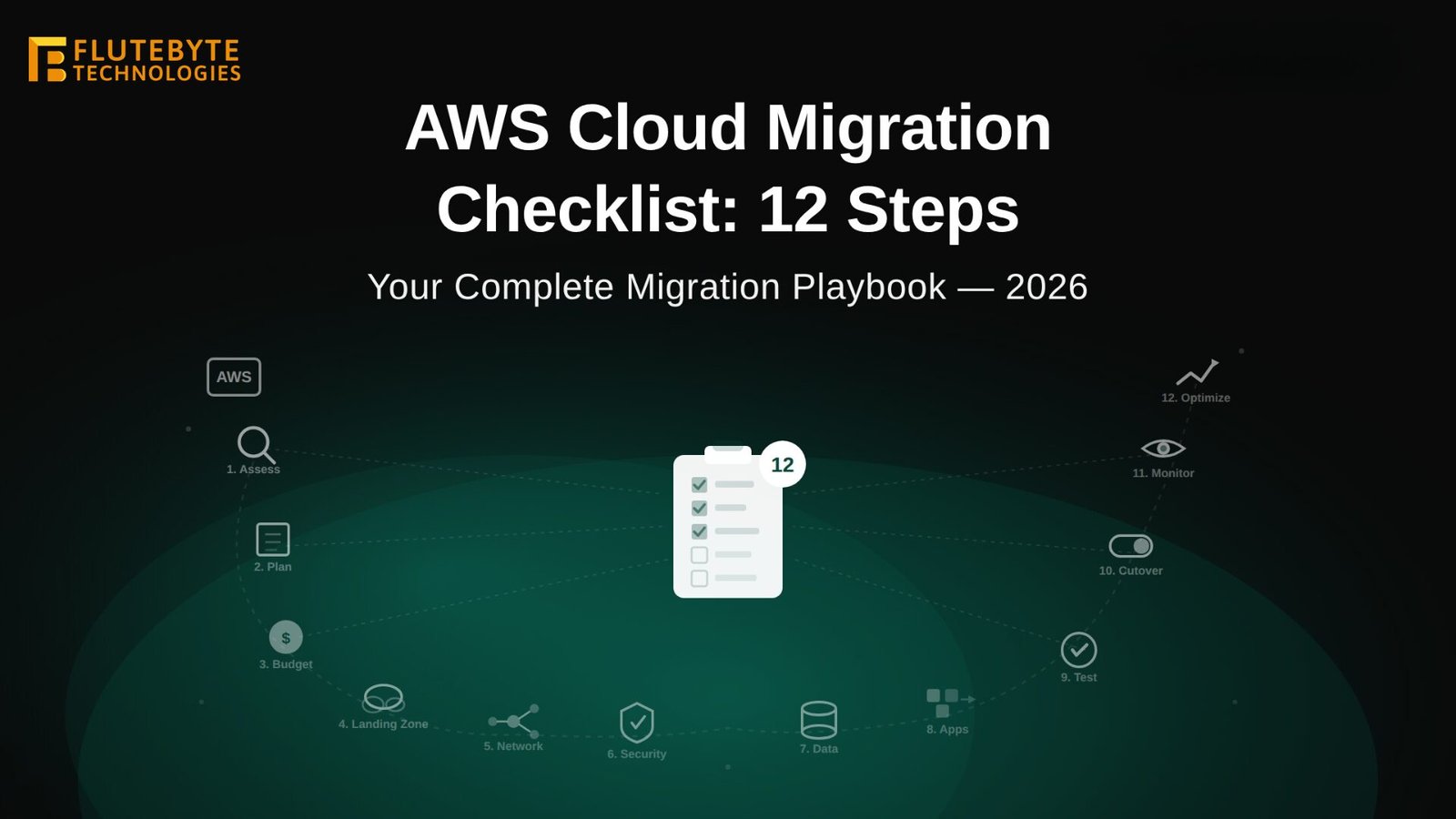
What are the steps for cloud migration?
The main cloud migration steps are: audit current infrastructure, define business goals, select AWS, Azure or Google Cloud, map workloads, classify data, plan security, estimate cost, choose a migration strategy, create backups, test in staging, migrate in phases, monitor performance, optimise cloud resources, and document post-migration support. A zero downtime cloud migration needs careful planning, traffic routing, rollback readiness, and real-time monitoring.
Table of Contents
Introduction
Cloud migration is no longer only a technology upgrade. In 2026, it is a business continuity, security, cost control, and scalability decision. Whether a company is moving from an on-premises server, a basic Virtual Private Server, or an outdated hosting setup, cloud migration must be planned carefully to avoid downtime, data loss, compliance gaps, and unexpected cost.
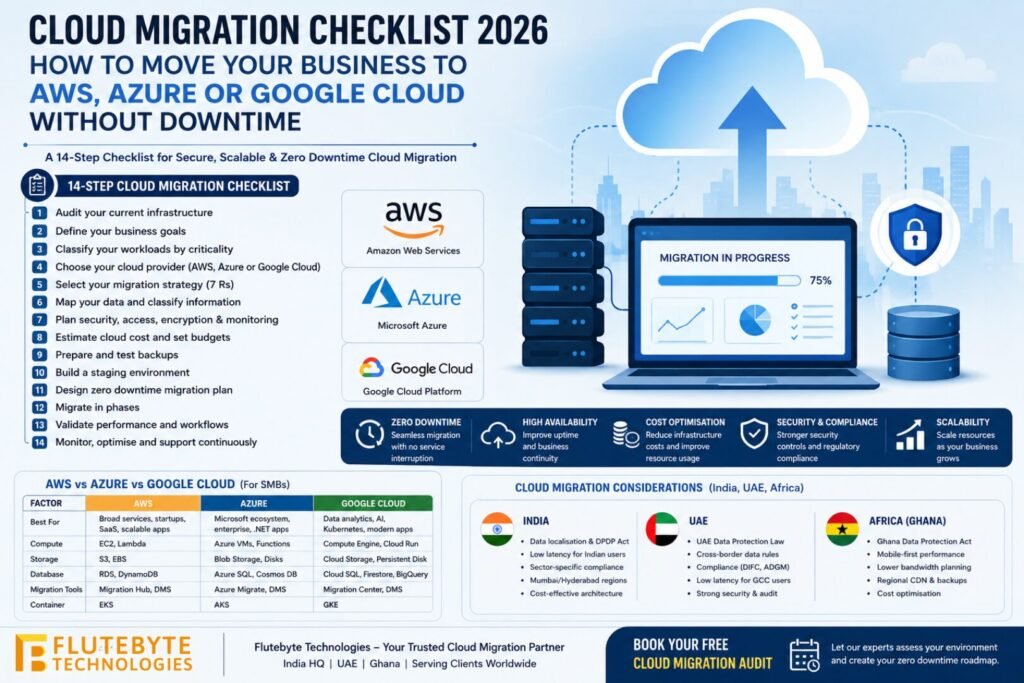
This cloud migration checklist 2026 is written for small and medium businesses, startups, agencies, manufacturers, e-commerce companies, education platforms, healthcare businesses, and service providers planning to move to Amazon Web Services, Microsoft Azure, or Google Cloud Platform.
Flutebyte Technologies is a cloud migration provider helping businesses move applications, databases, storage, websites, Enterprise Resource Planning systems, mobile backends, and automation platforms to AWS, Azure, and Google Cloud with a practical, low-risk migration approach.
What Is Cloud Migration?
Cloud migration means moving digital assets from one environment to another cloud-based environment.
These assets may include:
- Websites
- Web applications
- Mobile app backends
- Databases
- Files and media storage
- Enterprise Resource Planning systems
- Customer Relationship Management systems
- Application Programming Interfaces
- Email systems
- Analytics dashboards
- Development pipelines
- Backup systems
A business may migrate from:
- Local office servers to cloud
- Shared hosting to cloud
- Virtual Private Server to cloud
- One cloud provider to another cloud provider
- Monolithic architecture to container-based cloud architecture
- Manual deployment to automated cloud deployment
A good migration is not only about moving files. It is about improving performance, security, reliability, monitoring, backup, compliance, and future scalability.
Why Cloud Migration Matters in 2026
Businesses are moving to cloud platforms because they need systems that are faster, more secure, easier to scale, and easier to monitor.
Cloud migration can help a business achieve:
- Better uptime for customer-facing platforms
- Faster application performance across regions
- Easier server scaling during traffic spikes
- Stronger backup and disaster recovery
- Better security monitoring
- Lower infrastructure maintenance burden
- Faster software deployment
- Better integration with Artificial Intelligence and analytics tools
- Improved compliance planning
- More predictable infrastructure operations
For example, an e-commerce website that gets 10,000 users per month may not need large infrastructure today. But during a campaign, traffic may increase to 100,000 users. Cloud platforms make it easier to scale during such periods.
AWS vs Azure vs Google Cloud for SMB Use
| Factor | Amazon Web Services | Microsoft Azure | Google Cloud Platform |
|---|---|---|---|
| Best for | Broad cloud services, startups, SaaS, scalable apps | Microsoft ecosystem, enterprise, Windows workloads | Data analytics, AI, Kubernetes, modern apps |
| Compute services | Amazon Elastic Compute Cloud, AWS Lambda | Azure Virtual Machines, Azure Functions | Compute Engine, Cloud Run |
| Storage services | Amazon Simple Storage Service, Elastic Block Store | Azure Blob Storage, Azure Disk Storage | Cloud Storage, Persistent Disk |
| Database services | Amazon Relational Database Service, DynamoDB | Azure SQL Database, Cosmos DB | Cloud SQL, Firestore, BigQuery |
| Migration tools | AWS Migration Hub, AWS Database Migration Service | Azure Migrate, Azure Database Migration Service | Google Cloud Migration Center, Database Migration Service |
| DevOps tools | CodePipeline, CodeBuild | Azure DevOps, GitHub Actions | Cloud Build, Cloud Deploy |
| Container services | Elastic Kubernetes Service | Azure Kubernetes Service | Google Kubernetes Engine |
| Good SMB use case | Web apps, ERP hosting, SaaS products, storage-heavy platforms | Microsoft 365-connected businesses, .NET apps, Windows servers | Data-heavy apps, analytics, AI, container workloads |
| Learning curve | Medium | Medium if already using Microsoft | Medium to high for advanced data workloads |
| Cost control need | Strong tagging and budgeting required | Strong governance required | Strong monitoring required for data and compute |
For most small and medium businesses, AWS, Azure, and Google Cloud can all work well. The right choice depends on current technology, team skills, compliance needs, budget, traffic location, and future roadmap.
Cloud Migration Checklist 2026: 14 Steps for Zero Downtime Migration
1. Audit your current infrastructure by listing every server, application, database, domain, dependency, storage location, and integration.
A proper audit gives the migration team a complete view of what exists today. This should include server specifications, operating systems, database size, traffic patterns, connected APIs, payment gateways, email services, cron jobs, backup scripts, user roles, and third-party tools.
For example, an ERP system may depend on a PostgreSQL database, file uploads, email notifications, PDF generation, payment records, user permissions, and scheduled reports. If one dependency is missed, the migrated system may break after launch.
Flutebyte tip: Create a migration inventory sheet with columns for application name, server IP, database type, storage path, domain, SSL certificate, owner, criticality, backup status, and migration priority.
2. Define your business goals by deciding what the migration must improve.
Cloud migration should have a clear business reason. Common goals include reducing downtime, improving speed, lowering server management effort, strengthening security, supporting more users, or preparing for future Artificial Intelligence, analytics, or automation features.
A business with a slow website may focus on performance. A manufacturing company using ERP may focus on uptime and backup. A SaaS company may focus on scalability and deployment automation.
Flutebyte tip: Before choosing AWS, Azure or Google Cloud, write 3 measurable goals such as “reduce page load time by 40%,” “achieve 99.9% uptime,” or “restore database backup within 30 minutes.”
3. Classify your workloads by business criticality before deciding the migration order.
A workload means one application, service, database, or system that performs a specific business function. Examples include a website, ERP, HRMS, mobile app backend, billing system, inventory module, reporting dashboard, or customer portal.
Classify workloads into:
- Critical workloads
- Important workloads
- Low-risk workloads
- Legacy workloads
- Retired workloads
Critical workloads should move only after testing. Low-risk workloads can be migrated first to validate the process.
Flutebyte tip: Start with a low-risk internal tool before migrating high-impact systems such as ERP, payment services, customer portals, or production databases.
4. Choose your cloud provider by matching your business need with AWS, Azure or Google Cloud strengths.
An AWS migration guide may be suitable if your business needs broad cloud services, Amazon Elastic Compute Cloud, Amazon Simple Storage Service, Amazon Relational Database Service, Elastic Kubernetes Service, and mature global infrastructure.
Azure cloud migration steps may be better if your company uses Microsoft 365, Windows Server, SQL Server, .NET applications, Azure DevOps, Active Directory, or Microsoft enterprise tools.
Google Cloud Platform may be strong if your business needs BigQuery analytics, Google Kubernetes Engine, modern container workloads, Artificial Intelligence services, and data-heavy systems.
Flutebyte tip: Do not choose a cloud provider only by brand name. Choose based on application stack, database type, region availability, compliance requirements, team familiarity, and expected monthly cost.
5. Select your migration strategy by using the right approach for each workload.
Cloud migration is not one-size-fits-all. The common migration strategies are often called the 7 Rs.
They include:
- Retain: Keep the workload where it is for now.
- Retire: Remove the workload because it is no longer needed.
- Rehost: Move the application with minimal changes.
- Relocate: Move infrastructure to a cloud-compatible environment.
- Replatform: Make small changes to use managed cloud services.
- Repurchase: Replace the system with a cloud software product.
- Refactor: Rebuild the application for cloud-native architecture.
For example, a simple website may be rehosted quickly. A high-traffic SaaS platform may need replatforming or refactoring.
Flutebyte tip: Use rehost for speed, replatform for balanced improvement, and refactor only when the business needs long-term scalability, performance, or modern architecture.
6. Map your data by identifying what data exists, where it is stored, and who can access it.
Data mapping means documenting databases, files, media, logs, backups, user records, personal data, payment data, business documents, and archived files.
This step is important for security and compliance. A healthcare app, fintech platform, HRMS, or ERP may store sensitive personal data. That data must be migrated carefully with encryption, access control, audit logs, and retention rules.
Flutebyte tip: Separate personal data, financial data, business documents, public files, logs, and temporary files before migration. Each data type may need different storage, access, and backup rules.
7. Plan security by designing identity, access, encryption, firewall, and monitoring controls before migration.
Security should not be added after launch. It should be part of the cloud architecture.
Important security controls include:
- Identity and Access Management
- Multi-factor authentication
- Role-based access control
- Firewall rules
- Network segmentation
- Encryption at rest
- Encryption in transit
- SSL certificates
- Secret management
- Activity logs
- Vulnerability checks
- Backup access restrictions
For AWS, businesses may use Identity and Access Management, Security Groups, Key Management Service, CloudTrail, and CloudWatch. For Azure, businesses may use Microsoft Entra ID, Azure Key Vault, Azure Monitor, and Network Security Groups. For Google Cloud, businesses may use Cloud Identity, Cloud Key Management, Cloud Logging, and Cloud Monitoring.
Flutebyte tip: Give every team member the minimum access they need. Avoid shared admin accounts, open database ports, public storage buckets, and hardcoded passwords.
8. Estimate cloud cost by calculating compute, storage, database, bandwidth, backup, monitoring, and support expenses.
Cloud cost can increase if resources are not planned properly. A cloud bill may include compute servers, storage, database usage, bandwidth transfer, load balancers, snapshots, logs, monitoring, support, and third-party tools.
For example, using Amazon EC2 without auto-scaling rules, oversized Azure Virtual Machines, or unmonitored BigQuery queries can increase monthly cost.
Cost planning should include:
- Current monthly hosting cost
- Expected cloud monthly cost
- Migration cost
- Backup cost
- Monitoring cost
- Support cost
- Scaling cost
- Data transfer cost
Flutebyte tip: Set budgets and alerts from day one. Use AWS Budgets, Azure Cost Management, or Google Cloud Billing alerts to avoid surprise invoices.
9. Prepare backups by creating verified restore points before touching production systems.
A backup is only useful if it can be restored. Before migration, the team should create full backups of databases, files, configuration, environment variables, code repositories, DNS records, SSL certificates, and server settings.
Backup planning should include:
- Full database backup
- File storage backup
- Application code backup
- Server configuration backup
- DNS record backup
- SSL certificate record
- Rollback plan
- Restore testing
Flutebyte tip: Always run a restore test before migration day. Many businesses have backups but discover too late that the backup is incomplete or corrupted.
10. Build a staging environment by testing the migrated system before production cutover.
A staging environment is a test copy of the production system. It allows the team to test application performance, database connections, file uploads, login flows, payment gateways, APIs, emails, cron jobs, and reports before users access the migrated system.
For example, an e-commerce website should test checkout, product search, order creation, payment, invoice generation, and email confirmation in staging before migration.
Flutebyte tip: Make staging as close to production as possible. Same database version, same runtime, same storage structure, same environment variables, and same deployment method reduce launch risk.
11. Design zero downtime cloud migration by using phased cutover, replication, load balancing, and DNS planning.
Zero downtime cloud migration means users experience no visible service interruption or only a very small planned switch period. This usually requires database replication, blue-green deployment, load balancer routing, health checks, and careful Domain Name System planning.
Domain Name System, or DNS, controls where a domain points. Reducing DNS Time To Live before migration helps traffic switch faster.
Common zero downtime techniques include:
- Database replication
- Blue-green deployment
- Canary release
- Load balancer health checks
- Read-only maintenance window for final sync
- Low DNS Time To Live
- Rollback route
- Real-time monitoring
Flutebyte tip: For high-traffic systems, do not move everything in one big switch. Run old and new environments together for a short period, then shift traffic gradually.
12. Migrate in phases by moving low-risk workloads first and critical systems later.
Phased migration reduces pressure and helps the team learn before moving mission-critical systems. A business may first migrate static files to Amazon S3, Azure Blob Storage or Google Cloud Storage, then move databases, then applications, then background jobs, then reporting systems.
A phased approach works well for ERP systems, SaaS platforms, mobile app backends, and multi-module business software.
Flutebyte tip: Use a migration wave plan. Wave 1 can include low-risk services, Wave 2 can include internal systems, Wave 3 can include customer-facing systems, and Wave 4 can include critical databases.
13. Validate performance by testing speed, uptime, database response, API latency, and user workflows after migration.
After migration, the team should validate the system from both technical and business angles. A cloud server may be running, but the actual business workflow may still fail.
Test these areas:
- Login
- User permissions
- Database read/write speed
- File upload and download
- Payment gateway
- API response time
- Email and SMS notifications
- Reports
- Backups
- Admin dashboard
- Mobile app connections
- Scheduled jobs
Flutebyte tip: Ask real users to test real workflows. A developer test is not enough for ERP, CRM, inventory, logistics, finance, or e-commerce systems.
14. Monitor and optimise continuously by reviewing usage, cost, security, and performance after go-live.
Cloud migration does not end on launch day. After go-live, businesses should monitor server health, application logs, database load, error rates, storage growth, user traffic, backup status, and monthly billing.
Useful cloud monitoring services include:
- Amazon CloudWatch
- Azure Monitor
- Google Cloud Monitoring
- Cloud Logging
- Application performance monitoring tools
- Uptime monitoring tools
- Security alert systems
Optimisation may include resizing instances, adding caching, using managed databases, shifting storage tiers, cleaning logs, improving queries, and setting auto-scaling policies.
Flutebyte tip: Schedule a 7-day, 30-day, and 90-day post-migration review. This helps catch cost leaks, performance issues, security gaps, and user complaints early.
Cloud Migration Considerations for Businesses in India, UAE, and Africa
Cloud migration becomes more sensitive when a business operates across multiple countries. A company may have users in India, clients in the UAE, vendors in Ghana, and customers in Europe. This creates questions around data residency, latency, privacy, and compliance.
Flutebyte Technologies has a multi-region footprint with India as its headquarters and business presence across UAE and Ghana, helping companies plan cloud deployments for local performance and international compliance needs.
India cloud migration considerations
Businesses in India should consider:
- Where customer and employee data will be stored
- Whether the system processes digital personal data
- Whether cross-border transfer rules affect the business
- Latency for Indian users
- Payment gateway and finance data requirements
- Backup location and disaster recovery region
- Sector-specific rules for healthcare, finance, education, or government clients
For many Indian SMBs, using cloud regions in Mumbai, Hyderabad, or nearby Asia regions can improve speed and user experience.
UAE cloud migration considerations
Businesses in the UAE should consider:
- UAE Personal Data Protection Law requirements
- Cross-border data transfer rules
- Dubai International Financial Centre or Abu Dhabi Global Market rules if applicable
- Arabic and English application support
- Latency for Dubai, Abu Dhabi, Sharjah, and GCC users
- Cloud region selection for UAE or Middle East users
- Strong security, access logs, and audit trails
For UAE businesses, cloud migration should be planned with privacy, premium performance, and user trust in mind.
Africa and Ghana cloud migration considerations
Businesses in Ghana and West Africa should consider:
- Ghana Data Protection Act compliance
- Local user latency
- Mobile-first performance
- Lower bandwidth conditions in some regions
- Payment integration needs
- Backup and uptime requirements
- Cost-effective hosting architecture
- Expansion plans across West Africa
For Ghana-based platforms, performance matters heavily because many users access systems through mobile networks. A lightweight application architecture and regional content delivery network can improve user experience.
GDPR for EU clients
If a business serves European Union users or processes EU personal data, General Data Protection Regulation rules may apply. GDPR requires careful planning for lawful processing, transfer safeguards, user rights, data minimisation, and security controls.
For example, an Indian SaaS company with EU clients should confirm where EU customer data is stored, how it is transferred, who can access it, and how deletion or export requests are handled.
Risk Mitigation Plan for Cloud Migration
Cloud migration has risks, but most risks can be reduced with planning.
| Risk | What Can Go Wrong | Risk Mitigation |
| Downtime | Users cannot access the app | Use phased migration, blue-green deployment, low DNS TTL, rollback plan |
| Data loss | Files or records are missing | Take full backups and run restore tests |
| Cost increase | Monthly cloud bill becomes higher than expected | Set budgets, alerts, tagging, and rightsizing reviews |
| Security gap | Public database, weak access, exposed secrets | Use IAM, encryption, firewall rules, secret management |
| Compliance issue | Data stored in wrong region | Map data, select compliant regions, document transfers |
| Slow performance | Application becomes slower after migration | Load test, optimise database, use caching and CDN |
| Failed integrations | Payment, email, SMS or APIs stop working | Test every integration in staging |
| Team confusion | Users do not know what changed | Share cutover plan, support contact, and training notes |
A risk plan should be created before migration, not after something breaks.
Common Mistakes Q&A
Q1. What is the biggest cloud migration mistake?
The biggest mistake is migrating without a complete infrastructure audit. If databases, cron jobs, APIs, DNS records, SSL certificates, or file storage paths are missed, the application can break after launch.
Q2. Why do cloud migration costs increase unexpectedly?
Cloud costs increase when servers are oversized, storage grows without lifecycle rules, logs are never cleaned, or bandwidth is not monitored. Cost alerts and monthly optimisation reviews help control spending.
Q3. Can a business migrate to cloud without downtime?
Yes, zero downtime cloud migration is possible for many systems when replication, phased cutover, load balancing, DNS planning, and rollback are handled properly. Some legacy systems may still need a small planned maintenance window.
Q4. Should every application be moved to cloud?
No, not every application should be moved immediately. Some systems should be retained, retired, replaced, or refactored depending on cost, business value, usage, and technical condition.
Q5. Is cloud migration only for large enterprises?
No, cloud migration is also useful for SMBs, startups, agencies, schools, clinics, manufacturers, and e-commerce businesses. Even a small business can benefit from better backup, uptime, speed, and security.
People Also Ask
What is a cloud migration checklist?
A cloud migration checklist is a step-by-step plan for moving applications, databases, files, and infrastructure to a cloud platform. It usually includes audit, planning, provider selection, backup, testing, migration, monitoring, and optimisation.
Which cloud is best for SMBs: AWS, Azure or Google Cloud?
AWS is strong for broad cloud services, Azure is strong for Microsoft-based businesses, and Google Cloud is strong for data analytics, Artificial Intelligence, and Kubernetes. The best option depends on your application stack, budget, compliance needs, and user location.
What is zero downtime cloud migration?
Zero downtime cloud migration means moving a system to the cloud without visible service interruption for users. It usually requires database replication, phased traffic routing, load balancers, health checks, and a rollback plan.
Why hire cloud migration services India?
Cloud migration services India are useful for businesses that want skilled technical execution, cost-effective delivery, and long-term support. An experienced Indian cloud migration team can handle AWS migration, Azure cloud migration steps, Google Cloud migration, DevOps, monitoring, security, and post-launch support.
Why Choose Flutebyte Technologies for Cloud Migration?
Flutebyte Technologies helps businesses plan and execute cloud migration with a practical, step-by-step approach.
Flutebyte’s cloud migration services include:
- Infrastructure audit
- AWS migration guide and implementation
- Azure cloud migration steps and execution
- Google Cloud migration planning
- Server migration
- Database migration
- Storage migration
- DevOps setup
- CI/CD pipeline setup
- Backup and disaster recovery planning
- Zero downtime cloud migration planning
- Security hardening
- Cost optimisation
- Post-migration support
Flutebyte Technologies works with businesses across India, UAE, Ghana, and global markets. This multi-region experience helps the team plan cloud architecture around performance, compliance, scalability, and long-term business needs.
Final Cloud Migration Checklist Summary
A successful cloud migration in 2026 should include:
- Infrastructure audit
- Business goal definition
- Workload classification
- Cloud provider selection
- Migration strategy selection
- Data mapping
- Security planning
- Cost estimation
- Verified backups
- Staging environment setup
- Zero downtime migration planning
- Phased migration
- Performance validation
- Continuous monitoring and optimisation
Cloud migration is not only a technical task. It is a business continuity project. The right plan can improve uptime, speed, security, scalability, and long-term operational control.
Book Flutebyte’s Cloud Migration Audit
Planning to move your business to AWS, Azure or Google Cloud in 2026?
Book a cloud migration audit with Flutebyte Technologies. Our team will review your current infrastructure, identify migration risks, compare AWS, Azure, and Google Cloud options, prepare a zero downtime cloud migration plan, and give you a clear roadmap for secure, scalable, and cost-controlled migration.
Contact Flutebyte Technologies today to start your cloud migration with confidence.