Welcome to Flutebyte Technologies
You have just signed off on the final Bill of Quantities (BOQ) for a major commercial interior project. Your estimation team has carefully calculated the exact Bill of Materials (BOM) required to execute the job while maintaining a healthy 18% profit margin. The project kicks off, and the site execution team begins raising material requisitions.
Three months later, during the final project reconciliation, you discover your warehouse is full of leftover laminate sheets, boxes of specialized hinges, and expensive acoustic ceiling panels. Your accounts team shows you that the purchase department issued Purchase Orders (POs) for quantities far exceeding the original BOM. Because there was no system rule to stop them, the buyers simply ordered whatever the site supervisors requested. Now, your cash flow is tied up in dead stock that cannot be used for other clients, and your project margin has vanished.
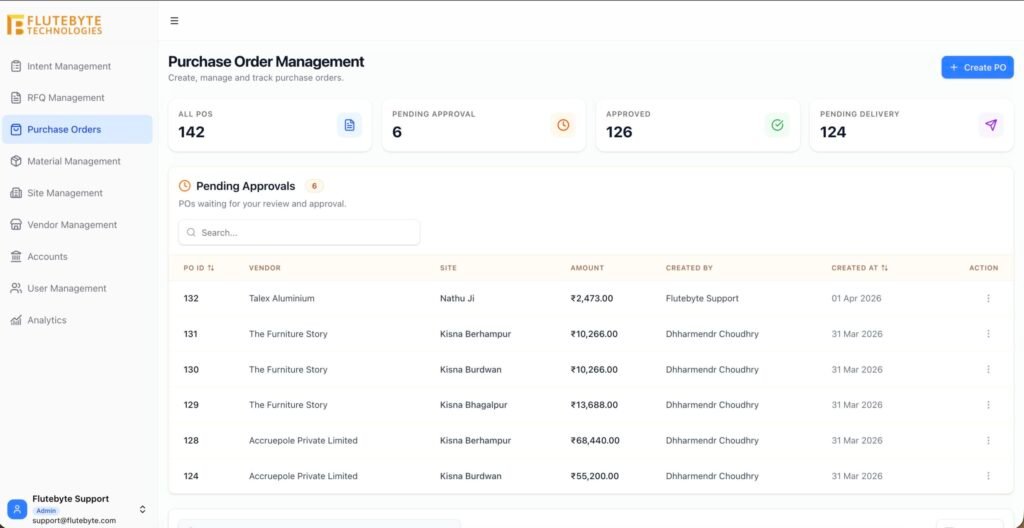
This operational failure is widespread among interior contractors, modular furniture manufacturers, and turnkey project companies. The core problem is that purchase orders are not controlled against the approved requirement. When your procurement workflow operates independently of your approved BOM, excess purchasing becomes the default behavior. To protect your working capital, you must implement strict PO limits and approval workflows.
Table of Contents
The Anatomy of the Procurement Disconnect
In a standard interior contracting business, the flow of information often breaks down between the estimation department, the site execution team, and the purchase department.
The estimation department knows exactly how many sheets of 18mm plywood are needed to build a specific set of workstations. However, the site supervisor, who is under pressure to complete the installation on time, does not want to run out of materials. They manually write a requisition for extra plywood “just in case” there are cutting errors or damages.
The purchase manager receives this requisition. Without a centralized system that cross-references the requested quantity against the approved BOM and the current warehouse stock, the buyer assumes the request is valid. They negotiate a rate with the vendor and issue a Purchase Order. Your company is now legally bound to pay for material that the client will never be billed for. This disconnect turns your procurement department into a margin-draining machine.
The Four Primary Drivers of Excess Material Purchase
To stop excess purchasing, you must understand the daily habits and operational gaps that cause buyers to issue oversized POs. In the interior execution industry, margin loss through procurement usually stems from these four drivers.
1. The “Just In Case” Site Requisition Habit
Site supervisors are judged on their ability to finish a project on schedule, not on their ability to manage the company’s cash flow. If a modular kitchen requires exactly 12 sheets of MDF, the supervisor might request 15. They know that if a sheet gets damaged during unloading, waiting two days for a replacement will delay the handover. While this padding behavior protects the project timeline, it destroys the project budget. If procurement simply blindly converts these padded requisitions into POs, your company pays the price.
2. Manual Inventory Blind Spots
Before a buyer issues a PO to a vendor, they should check if the required material is already sitting in the company warehouse from a previous project. However, if inventory is tracked on scattered Excel sheets or a whiteboard in the factory, the buyer has no live visibility. They end up generating a PO for 50 boxes of screws, completely unaware that 30 boxes are already available in stock. The lack of a live inventory deduction leads to double-purchasing.
3. Fragmented Communication and Verbal Approvals
Material shortages happen. Sometimes, a genuine error requires extra material to be ordered. In a manual setup, this request happens via a quick phone call or a WhatsApp message from the site manager to the purchase manager. The buyer generates the PO to keep the site moving. However, because there is no formal purchase order approval system documenting why the excess quantity was ordered, the management only finds out about the extra cost weeks later when the vendor bill arrives for payment.
4. No Hard System Blocks on PO Generation
The most critical failure point is the lack of software control. If a buyer is using basic accounting software or a Word document to generate POs, there is no technical barrier preventing them from typing in a quantity of 500 instead of 50. Without a BOM based purchase order system, humans are expected to remember and manually verify every single line item against the original contract. In a project with hundreds of distinct materials, human error is guaranteed.
Real-World Business Scenarios
To see how these drivers impact your bank account, consider these practical scenarios that occur regularly in turnkey interior projects.
Scenario A: The Hotel Wardrobe Production
Your factory is tasked with manufacturing 100 identical wardrobes for a hotel project. The approved BOM dictates exactly 200 soft-close hinges. During production, the factory manager notices that a few hinges were damaged during assembly. Instead of raising a specific request for 5 replacement hinges, they send a requisition to procurement for “one extra box” (which contains 50 hinges).
Because the procurement team does not have a PO management software that flags this request as exceeding the approved BOM limit of 200, the buyer issues the PO to the hardware vendor. You pay for 45 unnecessary hinges that sit on a factory shelf for the next two years, quietly eating away at the hotel project’s profitability.
Scenario B: The Corporate Fit-Out Flooring
A site execution team is installing carpet tiles in a 10,000 square foot corporate office. The BOQ and subsequent BOM factored in a standard 5% wastage margin, meaning procurement should only order 10,500 square feet.
Midway through the installation, the site supervisor realizes the floor plan has complex angles causing higher wastage than expected. They message the purchase manager to order another 1,000 square feet. The purchase manager generates the PO immediately to avoid stopping the installation. Because this excess purchase was not routed through an approval workflow, the project manager never gets the chance to review it. The extra carpet is paid for, but a supplementary bill is never sent to the client, directly impacting the contractor’s bottom line.
The True Cost of Operating Without PO Controls
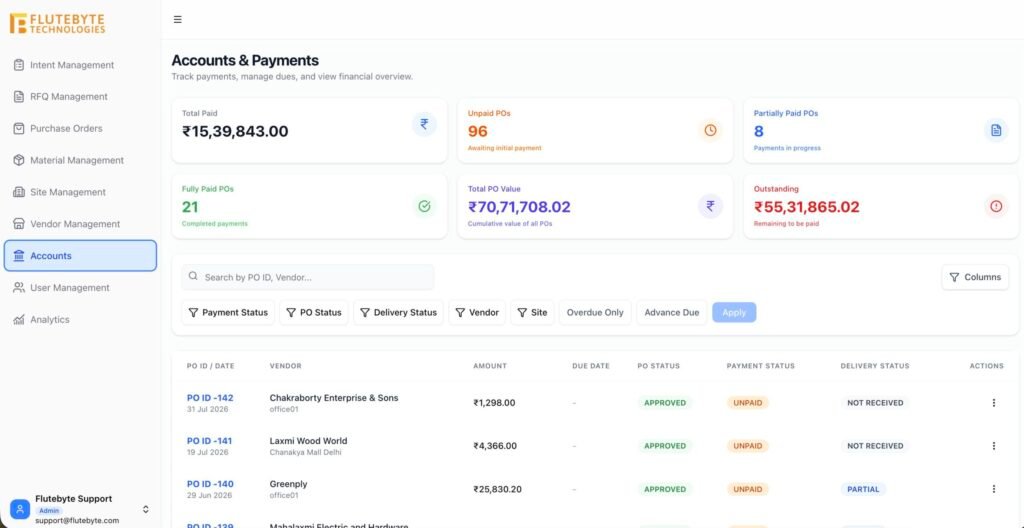
Operating a procurement-heavy business without strict PO controls creates severe financial and operational consequences.
The most obvious impact is the rapid accumulation of dead stock. Interior materials like specific laminates, custom veneers, and specialized acoustic fabrics are often project-specific. If you over-order them, they cannot easily be repurposed for your next client. This dead stock represents frozen working capital that should be in your company bank account.
Furthermore, unchecked purchasing leads to massive vendor billing issues. When vendor invoices arrive, your accounts team assumes the quantities match the approved project budget. When they discover the PO quantities are much higher, it triggers internal disputes between accounts, procurement, and site teams. These disputes delay vendor payments, which strains your supply chain relationships and can result in vendors refusing to deliver materials for future projects.
Ultimately, without PO controls, you lose the ability to trust your project budgets. A budget is only a suggestion unless the system actively prevents your team from spending beyond it.
The Blueprint for Complete Procurement Control
To eliminate excess purchasing, you must implement a system where a PO simply cannot be generated if it violates the rules of the approved BOM. The proper workflow for interior procurement follows these strict steps:
Step 1: Lock the Approved BOM
Before any purchasing begins, the final Bill of Quantities (BOQ) must be translated into a technical Bill of Materials (BOM) and locked. This BOM serves as the absolute ceiling for material procurement. Using professional BOQ management software ensures that this baseline is secure and cannot be altered by the purchasing team.
Step 2: Implement Live Inventory Checks
When a site requisitions material, the system must first look inward before looking outward. A PO Limit Checker must automatically calculate: Approved Requirement – Current Usable Stock = Maximum Allowable PO Quantity. If the BOM requires 100 sheets of plywood, and there are 20 sheets in stock, the system must restrict the buyer to ordering a maximum of 80 sheets.
Step 3: Hard System Blocks on Excess Quantities
If a buyer attempts to create a PO for 90 sheets (when the limit is 80), the software must physically block the action. The “Save” or “Approve” button should be disabled, and an alert should notify the buyer that the quantity exceeds the approved BOM limit.
Step 4: Multi-Level PO Approval Workflows
There are legitimate reasons to order extra material (e.g., client changes, unavoidable site damage). However, these exceptions must be controlled. When a buyer needs to exceed the limit, the system should route the PO into a strict approval workflow. The project manager or director must receive a digital notification to review the request, assess if the client needs to be billed for an extra, and formally approve the deviation before the PO is sent to the vendor.
How Flutebyte’s Interior ERP Fixes the Gap
By moving away from manual tracking and adopting a centralized system, you ensure that every material purchase is justified against a locked budget. Flutebyte’s Interior ERP is explicitly designed to handle the complex procurement realities of interior contractors and modular furniture businesses.
Flutebyte enforces operational discipline through interconnected modules:
- BOM-Based Procurement: Flutebyte directly links your procurement management software to your approved project BOM. Buyers cannot generate rogue POs because the system forces them to select items directly from the locked material list.
- Intelligent PO Limit Checker: Before a buyer can issue a PO, Flutebyte automatically checks the approved requirement against real-time inventory levels. If a site needs 100 units, and you have 20 in stock, Flutebyte restricts the PO generation to 80 units. This feature alone prevents massive amounts of double-purchasing.
- Automated RFQ to PO Conversion: Flutebyte allows you to manage vendor quotations through dedicated RFQ management software. When the best quote is selected, the system converts the RFQ into a PO while continuing to enforce the strict quantity limits dictated by the BOM.
- Deviation Workflows: If a site emergency requires extra material, Flutebyte prevents the buyer from sending the PO. Instead, it triggers an approval workflow, alerting the project head to authorize the extra cost, ensuring management is never surprised by vendor bills at the end of the month.
The Old Way vs. The Flutebyte Way
To clearly illustrate how automated controls protect your margins, consider the difference between a manual approach and a specialized ERP approach.
- PO Generation: The old way allows buyers to manually type any item and quantity into a Word doc or basic accounting tool. The ERP way forces buyers to pull items and quantities directly from a locked BOM.
- Quantity Limits: The old way relies on the buyer’s memory or manual cross-referencing to ensure they do not over-order. The ERP way utilizes a hard system block that prevents PO generation if the requested amount exceeds the BOM.
- Inventory Checking: The old way requires buyers to physically walk the warehouse or trust outdated Excel sheets before ordering. The ERP way automatically deducts available stock from the allowable PO limit in real-time.
- Handling Extras: The old way manages extra material requests via WhatsApp, leading to unapproved spending. The ERP way routes any quantity deviation through a formal, auditable digital approval workflow.
Final Thoughts on Protecting Your Margins
In the interior contracting business, your profit margin is not determined on the day the client signs the contract; it is determined every single day by the purchasing decisions of your procurement team. If your buyers are operating without system-enforced limits, they are unknowingly eroding your profits with every oversized Purchase Order they issue.
You cannot expect a fast-moving procurement team to perfectly memorize the material limits of dozens of concurrent projects. You must give them tools that enforce the rules automatically.
Flutebyte can help you map your current BOQ, procurement, and project workflow into a custom ERP structure built around your business process. Take control of your procurement cycle, link your POs directly to your BOM, and ensure that your company only pays for the exact materials required to get the job done.
Frequently Asked Questions (FAQs)
1. What is a BOM based purchase order?
A BOM based purchase order is a procurement document that is generated directly from the approved Bill of Materials, ensuring that a buyer can only order the specific items and quantities dictated by the project’s technical requirements.
2. Why do buyers order extra material for interior projects?
Buyers often order extra materials based on inflated requisitions from site supervisors who want a buffer against damages or execution errors, or because the buyer does not have live visibility into existing warehouse inventory.
3. How does a PO Limit Checker work?
A PO Limit Checker is a system feature that calculates the maximum allowable purchase quantity by taking the approved BOM requirement and subtracting any existing warehouse stock. It prevents the generation of a PO that exceeds this calculated limit.
4. What happens if a site genuinely needs more material than the BOM allows?
In a proper ERP system, the buyer can initiate a PO for the extra material, but the system will block it from being issued to the vendor until it passes through a formal digital approval workflow reviewed by a project manager or director.
5. Can procurement software check existing inventory before ordering?
Yes, integrated interior ERP software automatically cross-references requested materials against live inventory data, prompting the buyer to consume existing stock before spending cash on new vendor purchases.
6. How does controlling POs help with vendor billing?
By ensuring POs strictly match approved quantities, accounts teams can confidently perform three-way matching (PO vs. Goods Receipt Note vs. Vendor Bill) without facing discrepancies caused by unauthorized extra purchases.
7. Does an approval workflow slow down site execution?
While it introduces a mandatory review step, a digital approval workflow via a mobile or web app takes seconds for a manager to approve. This slight pause prevents massive financial losses and ensures the client can be billed for legitimate extras.
8. Why is standard accounting software not enough for interior procurement?
Standard accounting software tracks money out after the purchase has been made. It lacks the project-specific engineering logic to interlock the initial BOQ/BOM quantities with the daily operational PO generation limits.