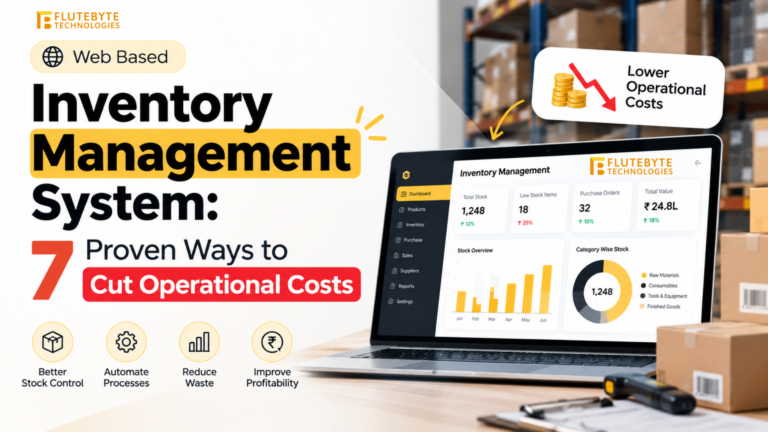

Implementing an ERP CRM module creates a shared data environment where sales, customer support, and inventory management converge. Instead of isolated silos, an integrated system links lead tracking, customer data, order processing, and inventory in real time. This centralized approach means sales and support teams see the same information, enabling faster responses and informed decisions. In practice, this means a truly unified customer journey: salespeople can check real-time stock in the system, and support agents see every order’s status. For example, sales managers can instantly check stock availability before promising a delivery, avoiding overcommitment.
Table of Contents
Benefits
Modern CRM modules shorten sales cycles and reduce errors. Studies show that companies often report shorter lead-to-order times, higher order accuracy, and lower costs after adding CRM to ERP. By giving sales reps access to live inventory data and automated quoting, teams focus on closing deals instead of chasing internal updates. This unified data boosts customer satisfaction: support staff can resolve issues quickly with full order and account histories. For example, one retailer’s sales and support teams had frequent back-orders when their CRM and inventory systems were separate. After integration, sales reps could only confirm orders from actual stock, and customer service accessed real-time shipping info. Order accuracy jumped 40% and complaints dropped 50% within months of deployment.
Optimizing the Sales Pipeline with ERP CRM
An integrated CRM inside an ERP system becomes a powerful sales pipeline ERP tool. It automatically captures leads and customer interactions across channels, ensuring no prospect is overlooked. Sales teams see real-time updates on opportunity stages, and management gets accurate sales forecasting since data is current across the system. AI-driven analytics can score leads and predict which deals are most likely to close, helping reps prioritize the right opportunities. This unified view extends to marketing as well: teams can correlate campaign performance with actual sales pipelines in real time. The result is better coordination—marketing adjusts outreach based on pipeline feedback, and sales focuses on leads that fit the profile of successful customers.
Key CRM features like lead tracking and automated workflows keep prospects moving through the funnel. Automated email and call reminders (follow-up automation) ensure timely communication with leads without manual effort. The integrated dashboard highlights bottlenecks and provides revenue projections, helping forecast pipelines. As a result, teams avoid last-minute rushes and can align marketing campaigns with real demand. Meanwhile, service dashboards give support teams visibility into pending orders and upcoming shipments, so no customer request is left unanswered.
Strengthening Customer Relationships
A modern ERP CRM module enhances customer retention by treating every buyer as a single, valuable profile. All touchpoints—sales calls, orders, service tickets—are linked under each customer profile. This unified view means marketing and support teams can deliver personalized experiences. For example, CRM data can trigger targeted offers based on past purchases, or service reps can address concerns with the context of the full order history.
Automated pipelines also drive loyalty. After a sale, the system can automatically schedule follow-ups or send satisfaction surveys, ensuring customers feel heard. Because the ERP CRM system tracks every interaction, companies can proactively offer support before small issues turn into complaints. All these features reduce frustration and build trust; businesses using ERP CRM report stronger customer loyalty and repeat business. Detailed analytics on customer behavior reveal trends and at-risk accounts, enabling proactive retention strategies. This data-driven approach also boosts loyalty campaigns: for example, the system can automatically flag at-risk customers for targeted retention offers based on their buying behavior.
Advanced CRM Automation and Trends (2026)
Looking ahead to 2026, CRM automation is reshaping ERP systems. New modules increasingly use AI and intelligent workflows to keep CRM data fresh and actionable. For example, automated data capture pulls contact info from emails and meetings, updating customer profiles without manual entry. AI-based analytics continuously score leads and adjust sales forecasts, so marketing and sales teams know which opportunities to nurture.
Top CRM trends for 2025 include hyper-personalization, predictive analytics, and mobile integration. Modern ERP CRMs can deliver the next-best action to sales reps and even suggest the most relevant cross-sell offers. Predictive analytics evaluate pipeline health and guide inventory replenishment to prevent stockouts. Because remote work is common, CRM automation emphasizes mobile-friendly tools that let reps update deals from anywhere. Many 2025-era CRM modules include mobile apps so field reps and managers can enter notes or resolve tickets on the go, ensuring that pipeline and customer data are always current. Enhanced security features also ensure compliance as sensitive data flows between systems. Emerging technologies like AI-driven assistants and virtual reality interfaces are on the horizon, which could further streamline how sales and support teams interact with CRM-ERP systems.
Key Features of ERP-Integrated CRM Modules
- Lead and Opportunity Management: Track sales opportunities from first contact through close, ensuring all information is captured.
- Unified Contact/Account Database: Store comprehensive customer profiles accessible to sales, marketing, and support teams.
- Integrated Quotes and Orders: Create quotes that factor in real-time inventory and pricing data, and automatically push won deals into order fulfillment.
- Automated Workflows: Configure triggers and reminders for tasks like follow-ups, approvals, and renewals.
- Real-Time Inventory Sync: Sales and service teams see live stock levels, avoiding over-promising.
- Analytics and Reporting Dashboards: Built-in reports show pipeline health, revenue forecasts, and customer trends for data-driven decisions.
- Support Ticketing: Log customer issues and returns in context of orders and products, enabling faster resolutions and better service.
- Mobile Access: Many systems offer mobile apps or responsive interfaces so field reps and managers access CRM data on smartphones or tablets.
Choosing and Implementing the Right ERP CRM Solution
Not all systems are created equal. When selecting an ERP with CRM functionality, prioritize solutions that are scalable, easy to use, and offer robust integrations. Scalable platforms exist for businesses of all sizes. For example, Flutebyte’s CRM software integrates with ERP backends to combine lead management, invoicing, and analytics in one interface. It provides customizable modules for sales pipeline management, inventory alerts, and customer service. Cloud-native CRM solutions allow businesses to avoid heavy upfront hardware costs, and providers often host the software on secure servers. Flutebyte works with clients to pick the right cloud or on-premise mix, ensuring compliance with local data regulations and scalability.
Implementation should be done in phases. Start by addressing critical pain points—whether that’s lead tracking inefficiencies or delays in order processing. Add one module at a time: begin with core sales and CRM functions, then layer on marketing automation, customer service, and so on. Training is crucial; ensure your team understands how to use the unified customer relationship ERP platform. Use KPIs like conversion rate, deal cycle length, and renewal rate to track progress. Many companies find the return on investment (ROI) for ERP CRM integration occurs in months, not years. Efficiency gains from automating lead capture and order processing translate directly into more sales without increasing headcount. Key metrics like conversion rate, average deal size, and repeat purchase rate typically show noticeable improvements. Measuring these KPIs before and after implementation justifies the investment and highlights ongoing gains. Additionally, a single platform simplifies IT management when companies expand or merge. Instead of integrating multiple disconnected systems, teams simply extend their existing ERP CRM framework, preserving data consistency and easing user training.
Other Tools by Flutebyte Technologies:
- Domain Authority Checker: https://flutebyte.com/domain-authority-checker/
- Website Speed Test: https://flutebyte.com/check-your-website-speed/
- Ad Spend Calculator: https://flutebyte.com/ad-spend-calculator/
Ready to Upgrade Your CRM and ERP? Enhance sales performance and customer loyalty by leveraging advanced CRM modules within your ERP system. Flutebyte’s experienced consultants ensure that custom CRM modules align with your business processes, so you unlock these benefits quickly. Contact Flutebyte Technologies to learn how our CRM solutions and integration services can streamline your processes and boost revenue.
Frequently Asked Questions
Q1: What exactly is an ERP CRM module?
An ERP CRM module is software that combines customer relationship management with enterprise resource planning. It unifies CRM features (lead tracking, contacts, communications) with ERP functions (inventory, orders, billing) on one platform. This means all teams share a single source of truth. For example, sales reps can check product availability directly within the CRM, and support agents can view order status in real time. The result is faster service and fewer miscommunications and errors across departments. The unified interface streamlines processes and improves visibility for managers.
Q2: How does integrating CRM into ERP improve the sales pipeline?
Integrating CRM into ERP ensures every sales opportunity is managed alongside fulfillment and finance. The sales pipeline ERP system shows the live status of leads and inventory, preventing overcommitment. It also automates prioritization: lead scoring algorithms highlight the most promising prospects, and follow-up automation keeps communications timely. Since data is synchronized, sales forecasts become much more accurate. In practice, this means fewer missed deals and more closed sales for your team. Over time, this integrated approach streamlines pipeline management and improves conversion rates.
Q3: What is CRM automation 2025, and why is it important?
CRM automation 2025 refers to the next-generation CRM tools that use AI, analytics, and intelligent workflows. These systems can auto-update customer profiles from emails and calls, trigger personalized campaigns, and even predict when a customer might churn. This is important because it eliminates manual data entry and keeps information up to date. Automated workflows also maintain consistent follow-ups and customer journeys, ensuring no leads or service issues slip through the cracks. In short, CRM automation 2025 makes teams more efficient and responsive.
Q4: In what ways do advanced CRM modules boost customer retention?
Advanced CRM modules improve retention by centralizing customer data and enabling proactive engagement. They maintain unified customer profiles so any team member sees the full history. This enables truly personalized service: marketing can send targeted offers based on purchase history, and support can solve problems faster with context. Automated reminders ensure customers receive timely check-ins or support, and loyalty programs can be managed directly in the CRM. All these elements combine to create a better experience and encourage repeat business.
Q5: Are ERP CRM modules only suitable for large companies?
Not at all. Modern ERP CRM solutions are designed to scale. Cloud-based platforms provide tiered features so small and medium businesses can start with basic functionality and expand as they grow. You can begin with core modules (like contact management and order entry) and add advanced tools (like analytics and marketing automation) later. Industry experts note that affordable plans and incremental upgrades allow smaller firms to benefit from integrated data without a heavy upfront investment. Even mid-market companies can enjoy improved efficiency and retention through these integrated systems.
Sources Used:
Internal research, industry benchmarks, and ERP vendor documentation on CRM-ERP integration strategies, CRM automation, and customer retention metrics.