Custom ERP Built Around Your Manufacturing Workflow

Flutebyte ERP helps manufacturing and project-based businesses manage projects, purchase, inventory, production, dispatch and accounts from one connected system.

  • Project-wise stock control
  • Purchase to production tracking
  • Department-wise visibility
  • Built as per your workflow
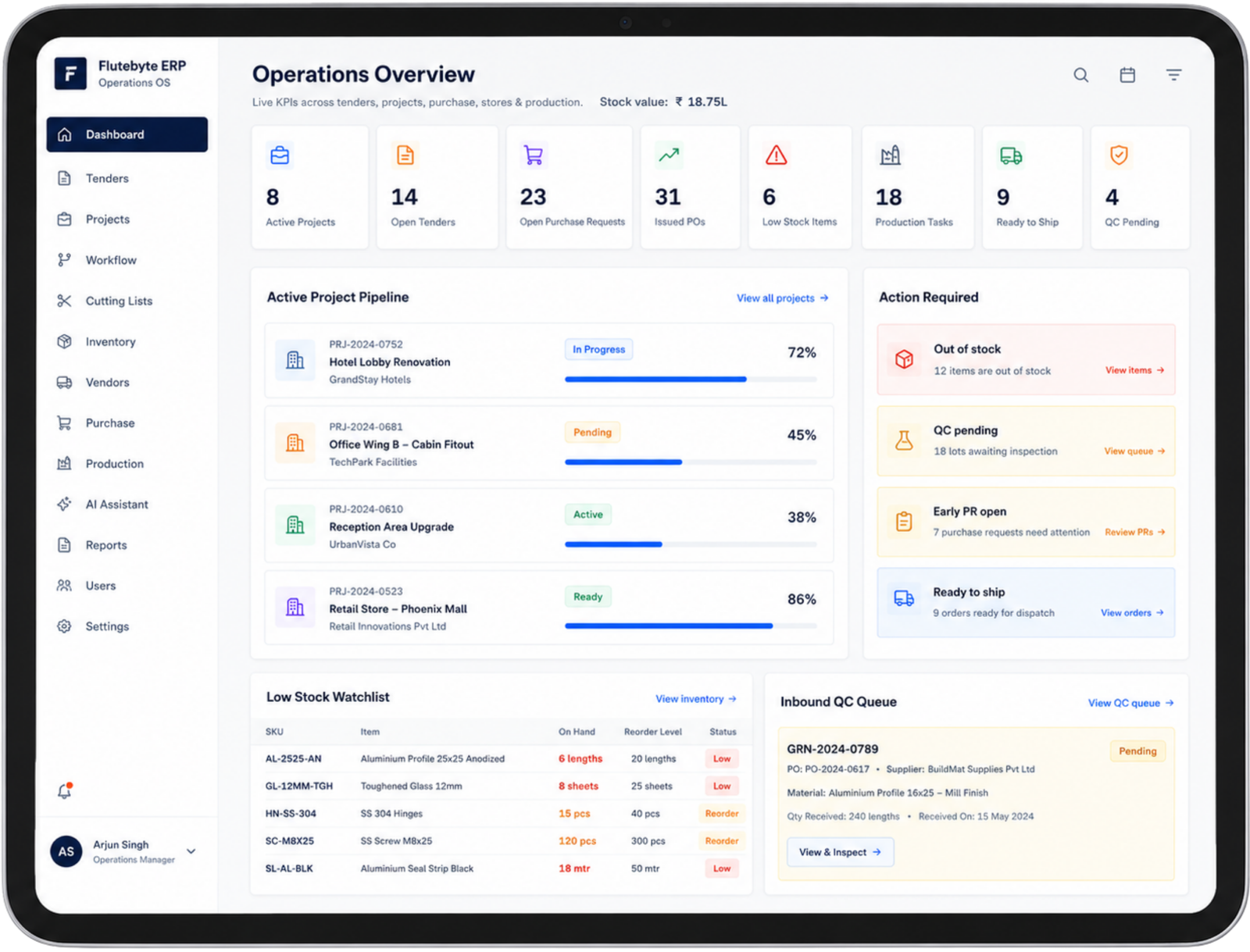
Flutebyte ERP Dashboard on Tablet
Factory and Operations Managers

Growth Becomes Difficult When Work Is Still Managed Manually

Many manufacturing and project-based businesses still run daily work through Excel sheets, WhatsApp messages, phone calls, paper registers and separate stock records. This works for a small team, but as projects, purchases, vendors and departments increase, the same process starts creating confusion.

The issue is not that the team is not working. The issue is that information is scattered across too many places.

Scattered Data

Delayed Decisions & Errors

Excel Sheets
WhatsApp
Phone Calls
Registers
Stock Files
Notebooks
Verbal Updates

Stock status is not clear

Teams do not know what is available, what is reserved, what is issued and what needs to be purchased. This creates sudden production delays and causes excess material to sit unused in the warehouse.

Read more

Purchase follow-up depends on people

Purchase requests, vendor follow-ups, pending POs and delivery status are tracked manually. When a team member is absent, critical orders get missed and project deadlines are pushed back.

Read more

Production updates are delayed

Management has to call different departments to know what is pending and where the work is stuck. This lack of real-time visibility blocks quick decision-making and leads to inaccurate client updates.

Read more

Reports take time to prepare

Daily, weekly and project reports are made manually, which increases errors and delays. By the time the data is collected and formatted, the information is often outdated and useless for planning.

Read more

Important approvals get missed

Design approval, purchase approval, QC approval and dispatch clearance can get delayed when there is no clear system. Bottlenecks form across departments because managers cannot review and approve requests on the go.

Read more

Same data is entered again and again

The same project, item, vendor and stock details are repeated in different files and messages. This double-entry wastes hundreds of hours every month and is the main cause of stock mismatch errors.

Read more

The Problem Is Not the Team.
The Problem Is the Process.

When a business grows, every department needs correct information at the right time. Purchase needs material requirement. Store needs stock clarity. Production needs approved BOM and cutting list. Accounts needs billing and payment status. Management needs live project visibility.

If this information is spread across people, files and messages, delays become natural. The team may be working hard, but the process still remains slow because every update has to be asked, checked, confirmed and repeated.

Manual process creates dependency. A connected ERP creates visibility.

Manual Process

Updates depend on calls, messages and people.

  • Design approved in message Waiting
  • Purchase requirement shared manually Recheck
  • Store checks stock separately Missing update
  • Production waits for confirmation Waiting
  • Accounts follows up later Follow-up
  • Management asks for status Missing update

Connected ERP Process

Every department works from one connected flow.

  • Approved design Approved
  • BOM and cutting list Clear
  • Stock check Available
  • Purchase request Assigned
  • Production issue In progress
  • Dispatch and billing Ready

Too much person dependency

If one person is unavailable, purchase, stock, production or approval status can get stuck.

No live visibility

Management has to ask different departments to understand the real project status.

Repeated confirmation

The same update is checked again through calls, messages and files before action is taken.

Delayed decisions

By the time the correct information is collected, the decision is already late.

A Ready-Made ERP Can Also Become a Problem

Many businesses move from manual work to a ready-made ERP hoping everything will become easier. But the real issue starts when the ERP does not match the way the team actually works.

The team is then forced to change its process according to the software. This creates extra training, unused features, slow adoption, higher dependency on consultants and repeated customization requests.

The problem is not ERP itself. The problem is ERP that does not fit the business workflow.

Your Business Workflow

Flexible and real

Enquiry
Design Approval
BOM
Purchase
Inventory
Production
Dispatch
Accounts
Forced Fit

Ready-Made ERP

Rigid and fixed

Standard Sales
Standard Purchase
Standard Inventory
Standard Reports
Extra steps
Unused modules
Workflow change
Consultant dependency

Common Issues Your Businesses Face

Fixed workflow

The ERP follows its own process, so the business team has to change how they work.

Unused features

The business pays for many features that are not required in daily operations.

High setup cost

Implementation, training, consultant support and customization can increase the final cost.

Slow change requests

Small changes can take time because they depend on external teams, tickets and approvals.

User-based pricing

Cost can increase as more team members start using the system.

Low team adoption

If the ERP feels complicated, the team starts using Excel and WhatsApp again.

A good ERP should support the way your business works. It should not force your team to leave a practical process and follow a rigid software structure.

Your Business Should Not Bend Around Software

A generic ERP usually comes with a fixed workflow. Flutebyte ERP is built around your actual process, so your team can manage work in a way that matches daily operations.

Before development starts, Flutebyte studies your current process, department flow, approvals, stock movement, purchase cycle, production stages and reporting needs. Based on that, the ERP is planned with the right modules, user roles, dashboards and approval flow.

Generic ERP fits many businesses partially. Flutebyte ERP is built to fit your business workflow properly.

Generic ERP

Fixed software workflow

  • Business adjusts to software
  • Many unused features
  • Fixed approval flow
  • Standard reports
  • Change requests take time
  • Higher consultant dependency

Flutebyte ERP

Built around your business workflow

  • ERP planned after workflow study
  • Modules built as per requirement
  • Project-wise stock and purchase flow
  • Design to BOM to production connection
  • Role-wise dashboards and approvals
  • Reports based on actual management needs
Generic ERP
Flutebyte ERP
Generic ERP Fixed workflow
Flutebyte ERP Workflow built around your business
Generic ERP Many unused features
Flutebyte ERP Only required modules are planned
Generic ERP Business adjusts to software
Flutebyte ERP Software is built for the business
Generic ERP Standard reports
Flutebyte ERP Reports based on real management needs
Generic ERP Change requests can be slow
Flutebyte ERP Changes are planned as per business need
Generic ERP More consultant dependency
Flutebyte ERP Direct workflow planning with Flutebyte team
The goal is not to add more software. The goal is to build a system that your team can actually use every day.

Want ERP Built Around Your Workflow?

We can study your current process and prepare a clear ERP roadmap with required modules, stages and expected business control.

We Study Your Workflow Before Writing Code

A useful ERP cannot be planned by only listing features. It needs a clear understanding of how the business runs every day — from enquiry and project creation to purchase, inventory, production, dispatch, billing and reports.

Flutebyte first studies the current working process. We identify where work is repeated, where approvals get delayed, where stock visibility breaks, where purchase follow-up depends on people and where management does not get clear reports.

After that, we prepare the ERP structure with modules, user roles, approval flow, dashboards and reports.

The ERP is planned around your working process, not around a fixed software structure.

Want to check how ERP can fit your current process?

Plan My ERP Workflow

Current Process

  • Enquiry flow
  • Project creation
  • Design approval
  • Purchase process
  • Stock movement

Gaps Found

  • Repeated entry
  • Delayed approvals
  • Stock mismatch
  • Manual follow-up
  • Missing reports

ERP Blueprint

  • Required modules
  • User roles
  • Approval flow
  • Dashboard views
  • Report structure

Build Plan

  • Phase-wise development
  • Testing
  • Team training
  • Rollout
  • Support

Clear module planning

Only the modules required for your workflow are planned.

Role-wise access

Each team sees the work, approvals and reports related to their responsibility.

Better adoption

The ERP matches the daily working style, so the team can use it with less confusion.

Useful reports

Reports are planned around real management decisions, not generic formats.

A Clear Process Before Development Starts

ERP cannot be built properly by only listing features. Before development starts, the workflow, users, approvals, modules, reports and rollout plan need to be clear.

Flutebyte follows a practical development process so the ERP is useful for the team from day one. The focus is not only on building screens. The focus is on building the right working system for purchase, inventory, production, dispatch, accounts and management.

A clear process reduces confusion during development and helps the team adopt the ERP faster.

ERP Build Timeline

Understand current workflow, departments, approvals and reporting needs.
1

Process Study

Define required ERP modules, user roles and stage-wise scope.
2

Module Planning

Design screens around daily usage, not around generic software layouts.
3

UI & Workflow Design

Build the ERP, test workflows and check data movement between modules.
4

Development & Testing

Train users department-wise so each team understands their daily flow.
5

Team Training

Move the ERP into usage, fix issues and stabilize the process with the team.
6

Rollout & Support

What gets finalized before development:
Module scope
User roles
Approval flow
Dashboard views
Reports
Rollout stages

One ERP to Connect Every Department

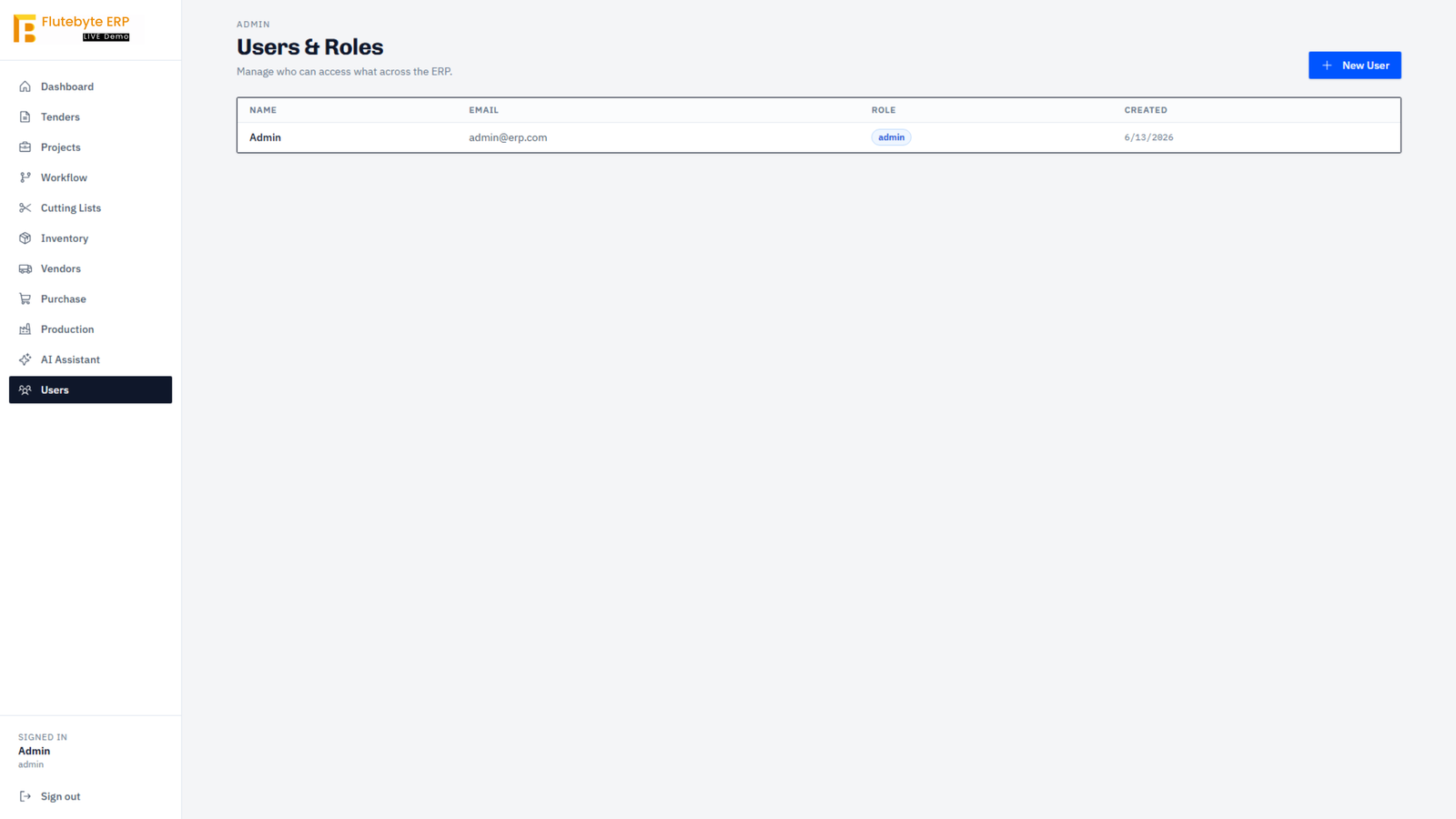
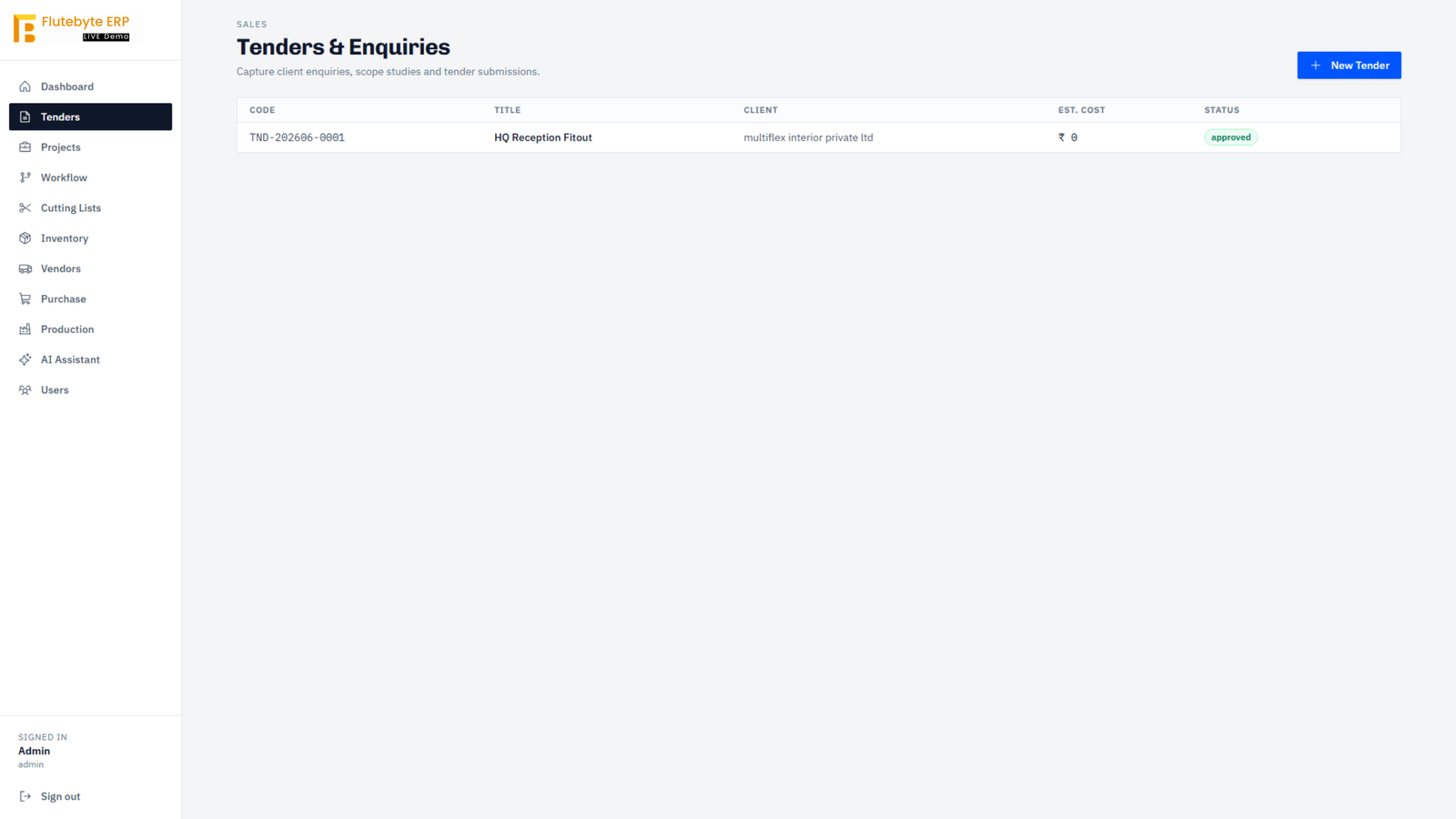
Flutebyte ERP connects projects, purchase, inventory, production, dispatch, accounts and management reports in one working system.

Every department works on different tasks, but the information has to stay connected. A project requirement affects purchase. Purchase affects stock. Stock affects production. Production affects dispatch. Dispatch affects billing. The ERP keeps this flow clear so teams do not depend on scattered files and manual follow-ups.

The purpose is simple: every department should know what is pending, what is approved, what is available and what needs action.

Flutebyte ERP

All-in-One Data Core

Live Sync

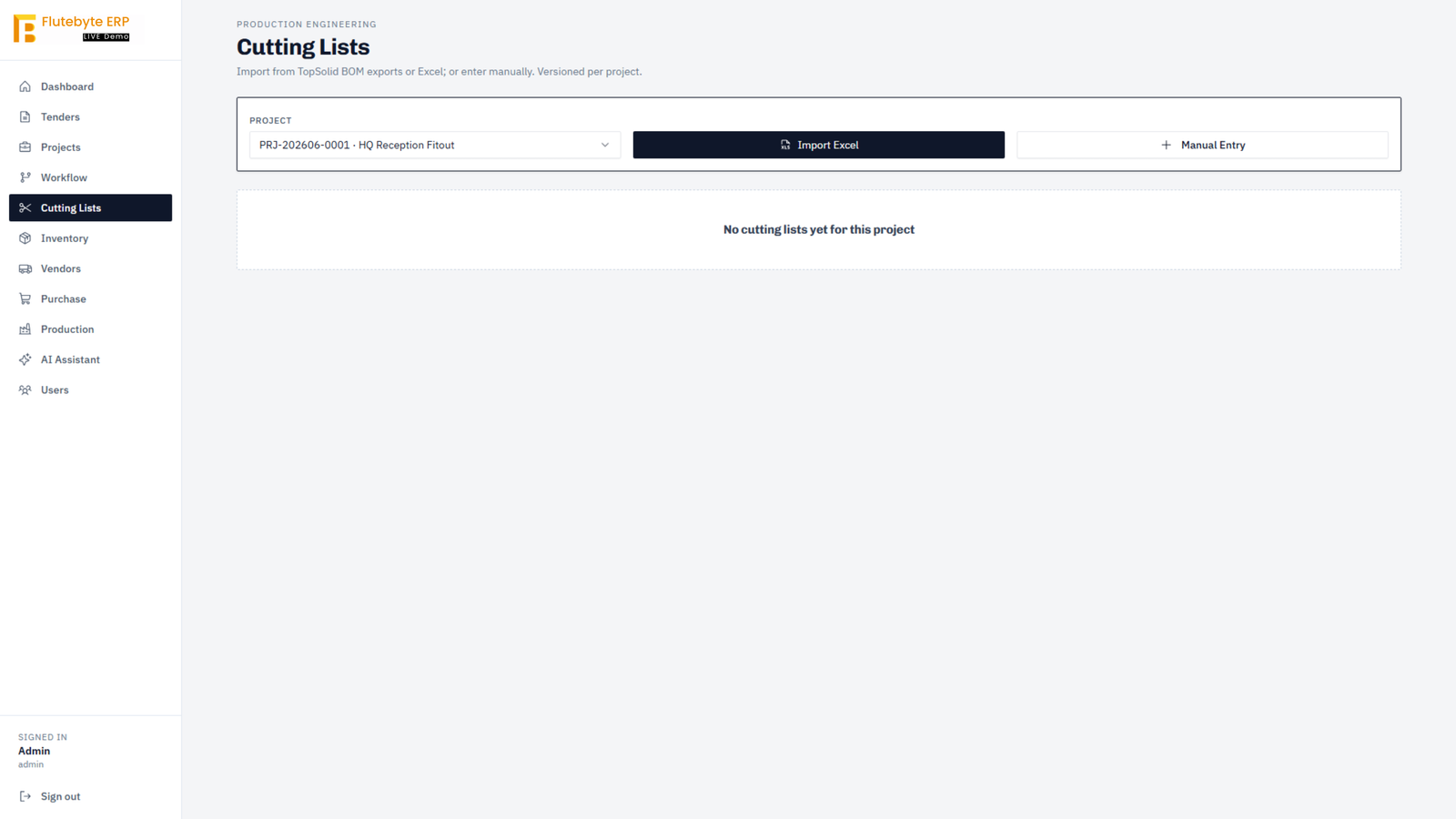
Tender Management

Track enquiry, tender and scope.

Project Management

Control project status and documents.

Design Approval

Manage feedback, revision and final approval.

Quotation

Prepare project-wise commercial details.

BOM & Cutting List

Plan material, size, quantity and hardware.

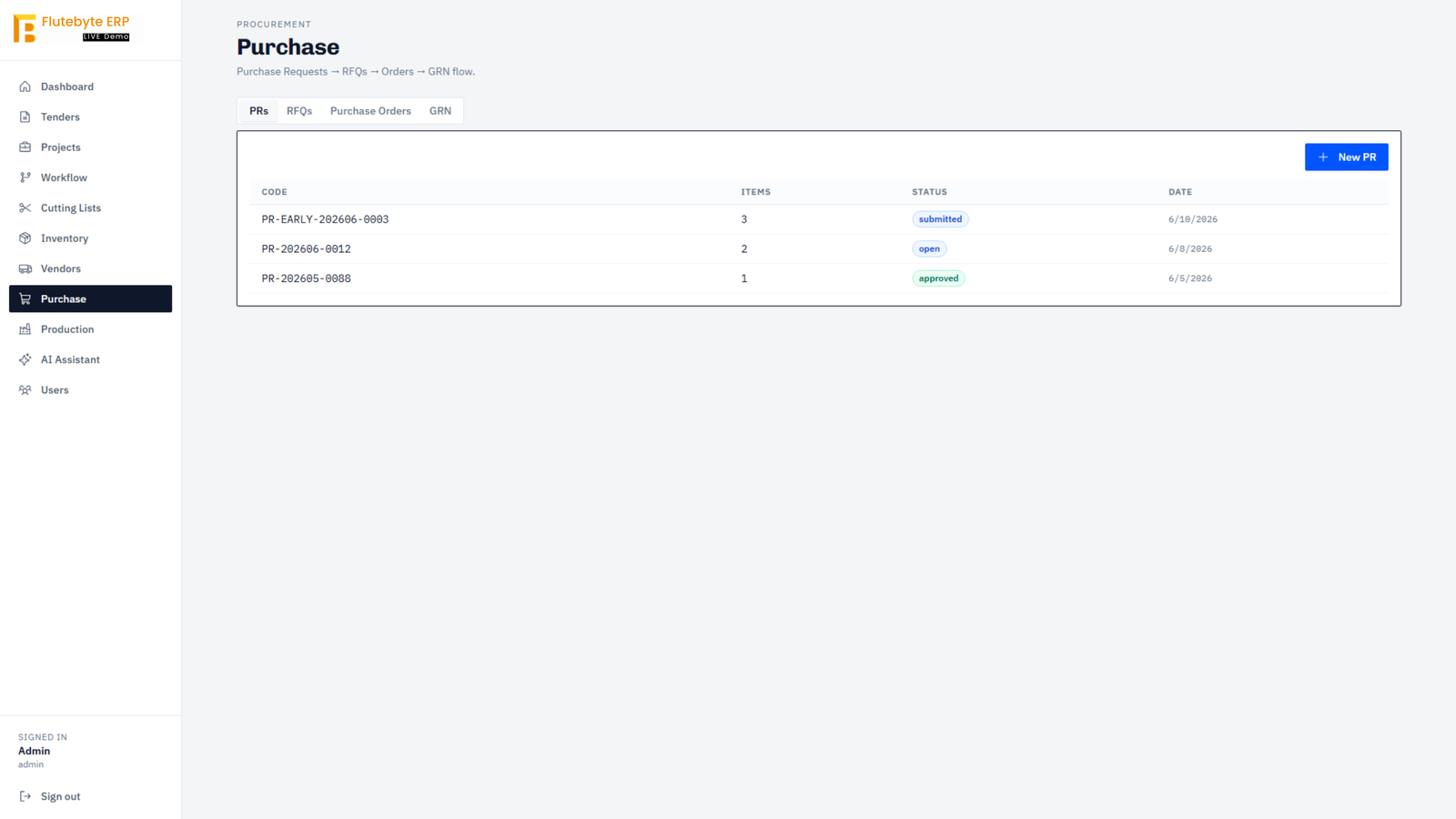
Purchase

Track PR, RFQ, PO and inward.

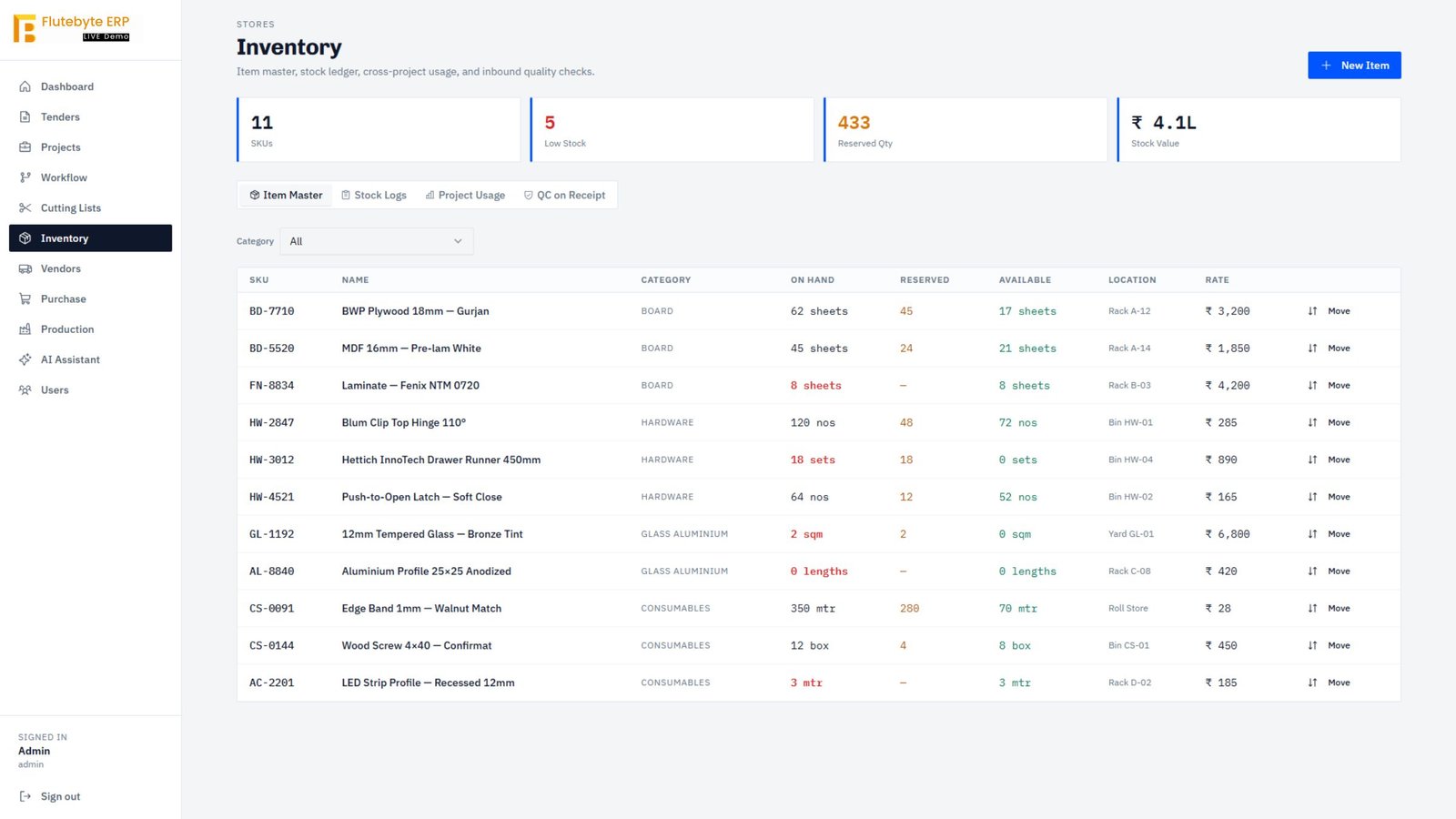
Inventory

View free, reserved, issued and returned stock.

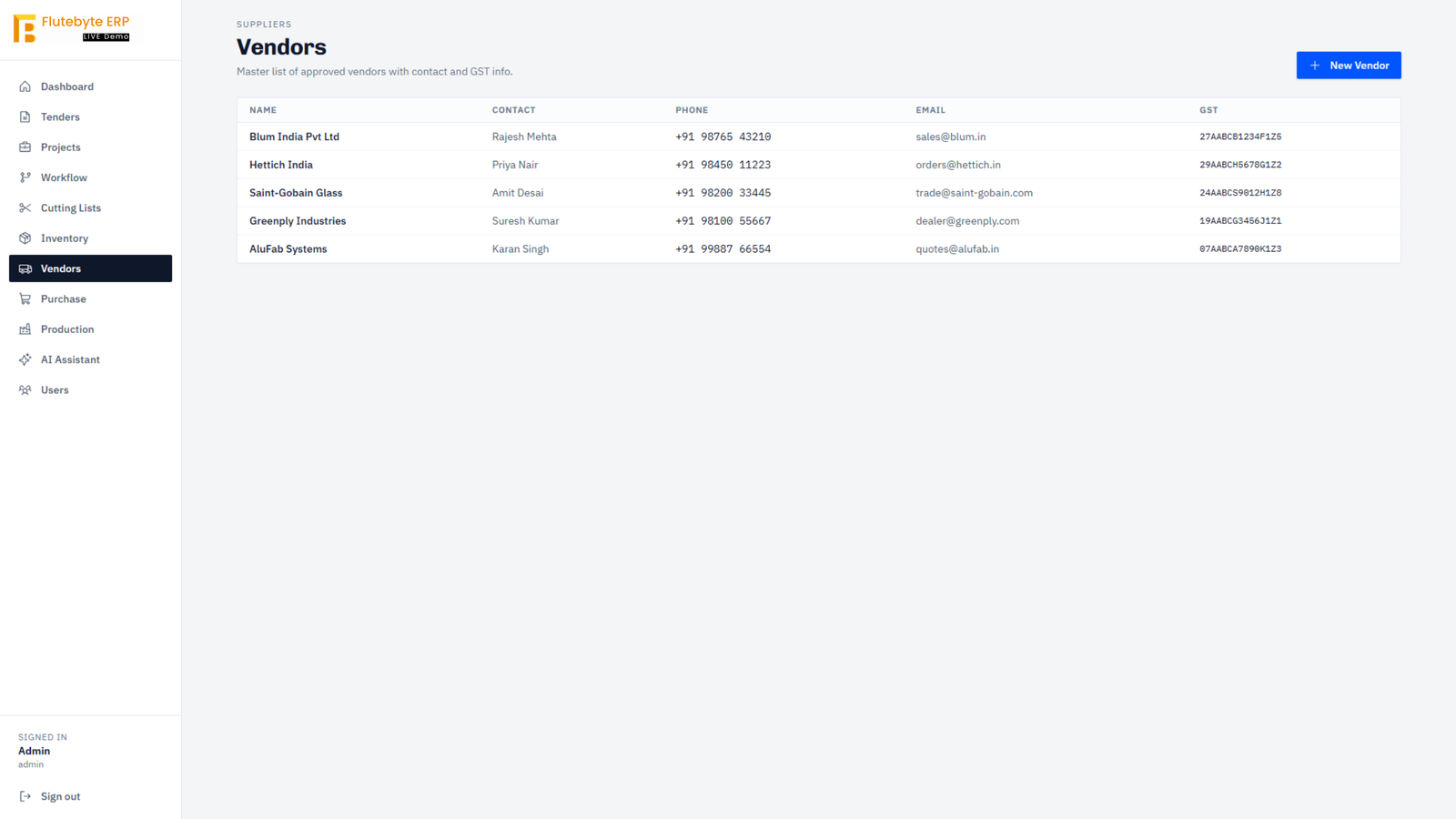
Vendor Management

Track supplier details and purchase history.

Quality Check

Record accepted and rejected material.

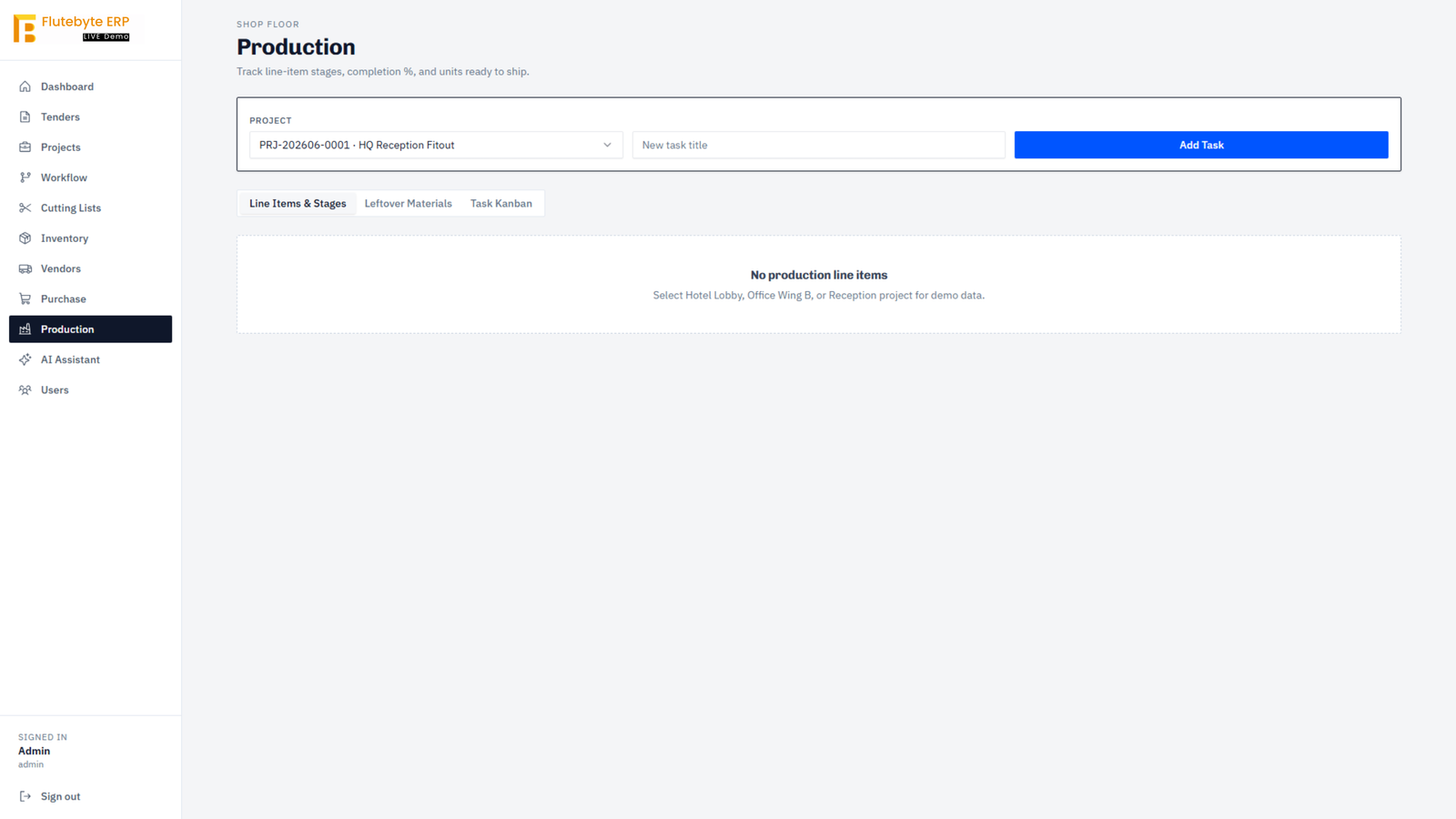
Production Tracking

Follow stage-wise job movement.

Dispatch

Manage challan, vehicle and delivery status.

Accounts

Track billing, payable and receivable status.

Reports Dashboard

View project, stock and department reports.
How the data moves

Project BOM Purchase Inventory Production Dispatch Billing Reports

Want to see which modules your business needs first?

Check Required ERP Modules

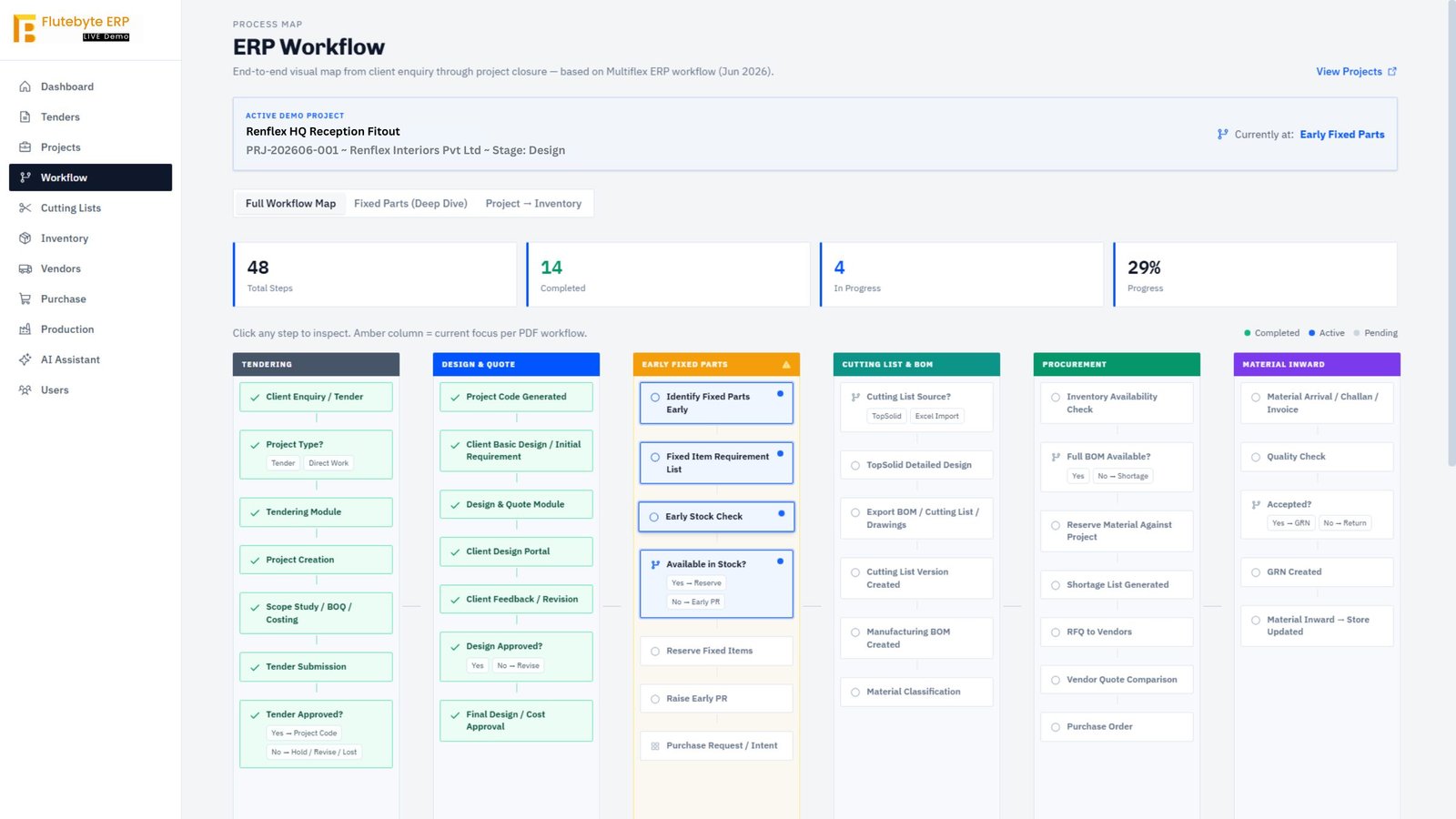
From Project Requirement to Dispatch, Every Step Stays Connected

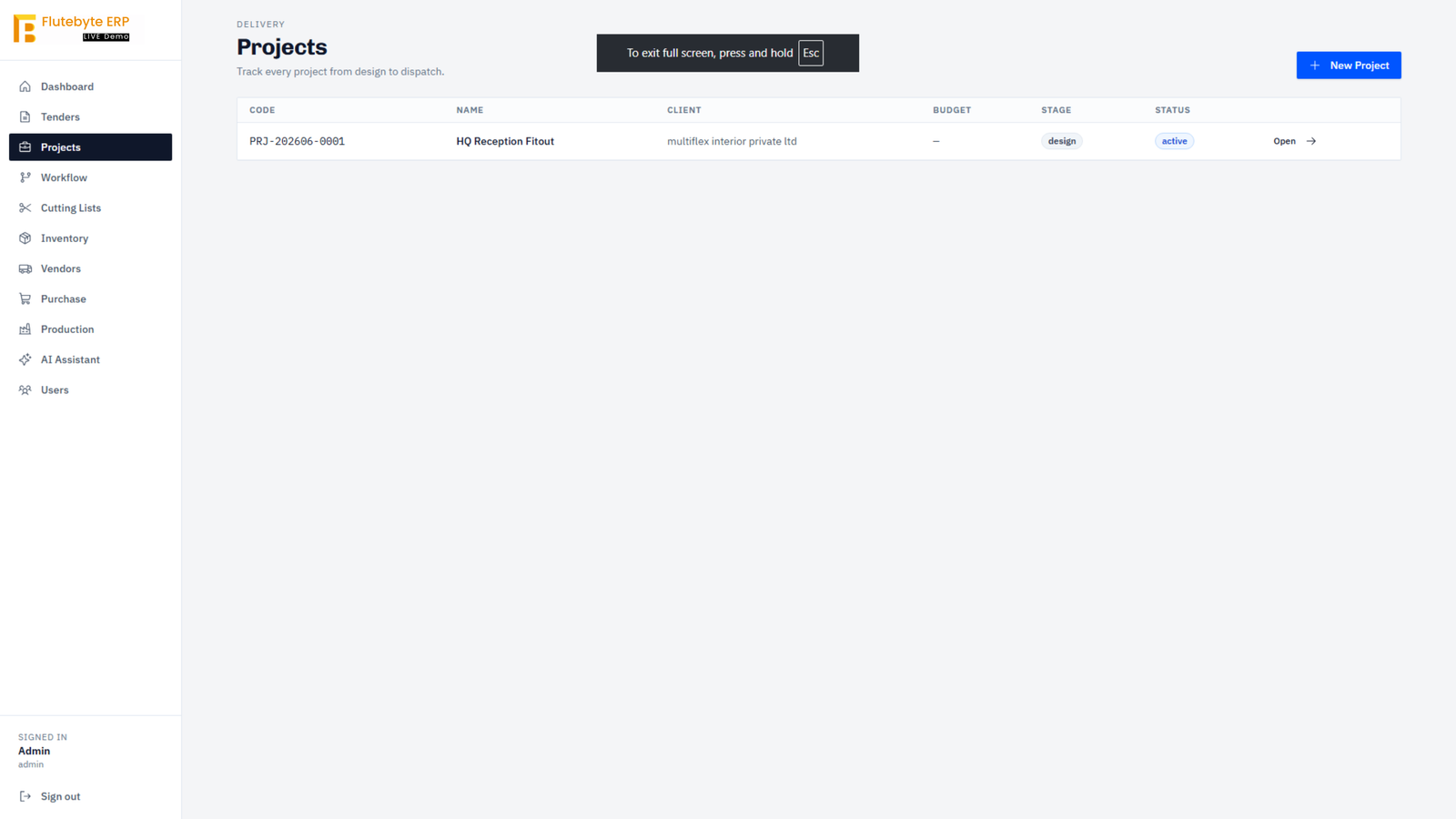
In manufacturing and project-based businesses, one missed update can affect purchase, stock, production, dispatch and billing. Flutebyte ERP keeps each stage connected so the team can see what is pending, what is approved and what needs action.

Once a project is created, the system connects design approval, BOM, cutting list, purchase requirement, stock reservation, production issue, QC, dispatch and accounts. This reduces repeated follow-ups and gives management a clear view of where the work stands.

The main benefit is control. Every department works on its task, but the full project movement remains visible.

Want to map your project workflow like this?

Create My ERP Flow
Project

Hotel Lobby Renovation

Status: In Progress
Stock Reserved: 68%
Production: 42%
Dispatch: Pending
Done
Project Created

Scope and project details added.

Approved
Design Approved

Final drawing and revision locked.

Ready
BOM Generated

Material, size and quantity planned.

Checked
Stock Checked

Free stock and reserved stock verified.

Open
Purchase Raised

PR, RFQ and PO tracked.

Issued
Material Issued

Items issued to production.

In progress
Production Updated

Stage-wise work status recorded.

Pending
Dispatch Ready

Challan, vehicle and billing prepared.
What this improves
Less manual follow-up
Clear project ownership
Faster purchase decisions
Better stock control
Cleaner dispatch planning

Know What Material Is Available, Reserved, Issued and Needed

In manufacturing and project-based businesses, material control is one of the biggest reasons for delay, excess purchase and production confusion. Flutebyte ERP keeps project-wise stock, purchase requirement, vendor follow-up, QC and material issue connected in one system.

The ERP helps the team see which material is available in stock, which material is reserved for a project, what has been issued to production, what is pending from purchase and what has returned as leftover or offcut material. This gives purchase, store, production and management a clear view before decisions are made.

Material should not be tracked only as total stock. It should be tracked by project, status, usage and movement.

Stock Overview

Available Stock 1,245 items
Project Reserved 430 items
Purchase Pending 86 items
Issued to Production 312 items
Returned / Leftover 58 items

Material Ledger

Material
Project
Status
Required
Action
Material: 18mm MDF Board
Project: Hotel Lobby Renovation
Status: Reserved
Required: 42 sheets
Action: Issue to production
Material: Aluminium Profile 25x25
Project: Reception Fitout
Status: Low stock
Required: 15 lengths
Action: Raise PR
Material: Laminate NTX 0720
Project: Office Wing B
Status: Available
Required: 8 sheets
Action: Reserve stock
Material: Tempered Glass Bronze
Project: Retail Store
Status: Purchase pending
Required: 12 sqm
Action: Follow PO
Material: Edge Band Tape
Project: Hotel Room Units
Status: Returned
Required: 6 rolls
Action: Reuse approval

Action Required

Action needed

Auto PR suggestion

Shortage found from project requirement.

Pending

QC required

Incoming material waiting for inspection.

Follow-up

Vendor follow-up

PO delivery date crossed.

Review

Leftover reuse

Returned material available for approval.

How material moves
Requirement Stock Check Reserve / Purchase QC Issue to Production Return / Reuse

Project-wise reservation

Stock can be reserved for a specific project before production starts.

Purchase from shortage

PR can be planned when required material is not available.

QC before acceptance

Incoming material can be checked before it becomes usable stock.

Leftover tracking

Returned or unused material can be recorded and reused after approval.

Track Production Progress Without Calling Every Department

Once material is issued, the next challenge is knowing where the work stands. Flutebyte ERP helps teams track production stages, QC status, pending work, completed items and dispatch readiness from one place.

For manufacturing, furniture and interior project businesses, production work often moves through multiple teams. Cutting, machining, edge banding, assembly, finishing, packing, QC and dispatch all need clear updates. When this is tracked manually, management has to depend on calls, WhatsApp messages and repeated follow-ups.

Flutebyte ERP records stage-wise progress so each department can update its work and management can see the real status without waiting for manual reports.

Production visibility means knowing what is pending, what is in progress, what is completed and what is ready to dispatch.

Need production visibility across departments?

Plan Production Tracking
Production Control Board

Hotel Lobby Renovation

Total Items: 212
In Production: 86
QC Pending: 14
Ready to Dispatch: 32
Material Issued
3
Reception wall panels
PRJ-2026-012 / WLP-08
Cutting Issued
Ceiling frame profiles
PRJ-2026-012 / CFP-02
Machine Issued
Laminate sheets
PRJ-2026-012 / LAM-14
Assembly Issued
Work In Progress
3
CNC cutting
PRJ-2026-012 / CNC-04
Machine In progress
Edge banding
PRJ-2026-012 / EDG-01
Finishing In progress
Assembly
PRJ-2026-012 / ASM-09
Assembly In progress
QC Pending
3
MDF panels inspection
GRN-202606-008
QC Pending
Glass fitting check
QC-2026-042
QC Pending
Hardware count check
QC-2026-045
QC Pending
Dispatch Ready
3
Packed lobby units
DSP-2026-021
Dispatch Ready
Door frame set
DSP-2026-022
Dispatch Ready
Site installation kit
DSP-2026-024
Dispatch Ready
What teams can track
Item-wise progress
Department status
QC pending list
Rework tracking
Dispatch clearance
Production reports

Business Control Room

Live view across projects, material, purchase, production and accounts.

Date: Today
Live
Active Projects
18
4 need attention
Stock Value
₹ 12.8L
Low stock: 4 items
Pending Purchase
₹ 4.2L
6 POs open
Receivables
₹ 8.6L
3 invoices overdue

Project Health

Hotel Lobby Renovation In progress
68%
Office Wing B Fitout Purchase pending
42%
Reception Area Upgrade Stock shortage
25%
Retail Store Fitout Dispatch soon
78%

Attention Required

Low stock for Aluminium Profile
High
PO delivery delayed by vendor
Medium
QC pending for MDF sheets
Pending
Dispatch challan pending
Ready
Payment follow-up required
Follow-up
Purchase Report

Open PR, RFQ, PO and vendor delay summary.

Production Report

Stage-wise pending, completed and delayed work.

Accounts Report

Billing, payable and receivable status.

See Project, Stock, Purchase and Payment Status in One View

Management should not have to wait for Excel reports, department calls or manual summaries to understand business status. Flutebyte ERP brings project progress, stock movement, purchase pending, production status, dispatch readiness and accounts visibility into one connected view.

When every department works separately, management reporting becomes slow. Purchase may have its own file, stores may have stock data, production may have separate updates and accounts may work from bills and invoices. Flutebyte ERP connects this information so owners and managers can see where money, material and work are stuck.

Good reporting is not just about charts. It is about knowing what needs attention today.

Need this kind of visibility for your business?

Plan My ERP Dashboard

Reports That Matter

Project Summary

Current stage and overall progress.

Stock Movement

Available, reserved, issued and returned stock.

Purchase Pending

Open PR, RFQ, PO and vendor follow-up.

Production Delay

Pending stages and delayed work.

Dispatch Status

Packed, shipped and pending delivery.

Payment Follow-up

Billing, payable and receivable view.

Every Team Member Gets the Right Access, Approval and Responsibility

In a growing business, not every user should see everything or approve everything. Flutebyte ERP gives each department a clear role, controlled access and defined approval responsibility.

Purchase, stores, production, dispatch, accounts and management all work on different parts of the same project. The ERP helps define who can create, check, approve, issue, update and report. This reduces confusion, avoids wrong entries and keeps every important action traceable.

When roles are clear, work moves faster and accountability becomes easier.

Access & Approval Matrix

Department
View
Create
Approve
Update
Report
Management
ViewFull
CreateLimited
ApproveApproval
UpdateLimited
ReportFull
Purchase Team
ViewAllowed
CreateAllowed
ApproveLimited
UpdateAllowed
ReportView only
Store Team
ViewAllowed
CreateAllowed
ApproveLimited
UpdateAllowed
ReportView only
Production Team
ViewAllowed
CreateLimited
ApproveBlocked
UpdateAllowed
ReportView only
QC Team
ViewAllowed
CreateLimited
ApproveApproval
UpdateAllowed
ReportView only
Dispatch Team
ViewAllowed
CreateAllowed
ApproveLimited
UpdateAllowed
ReportView only
Accounts Team
ViewAllowed
CreateAllowed
ApproveApproval
UpdateAllowed
ReportFull

Approval Flow Example

Purchase Request Requested
Store Check Checked
Management Approval Approved
PO Creation Created
GRN Received
QC Approval Accepted
Stock Update Updated

Wrong entry control

Only assigned users can update sensitive data.

Approval clarity

Every approval has a defined person and status.

Action history

Important actions can be tracked with user and time.

Department focus

Each team sees only the work relevant to them.

Need role-wise control for your ERP users?

Plan User Roles

ERP Go-Live Readiness

Setup, testing, training and support checklist.

Environment: UAT
Readiness: 82%
Readiness Score: 82%
Status: Almost Ready
Pending Items: 6
Last Review: Today

Master Data Setup

In review

Materials, vendors, users, projects, warehouses and opening stock checked before rollout.

Material master Vendor master User roles Opening stock

Workflow Testing

Testing

Real project cases are tested from enquiry, purchase and stock to production and dispatch.

PR to PO flow GRN and QC flow Stock issue flow Dispatch flow

User Training

Planned

Teams are trained according to their actual roles, screens and daily responsibilities.

Store team Purchase team Production team Management users

Post Go-Live Support

Active

Support continues after launch for fixes, improvements and operational guidance.

Issue tracking Change requests Monthly review Backup monitoring

After go-live, issues, changes and improvements are tracked with priority and status.

Login access issue Resolved
Stock report correction In progress
New approval change Review
Dashboard filter request Open

Go Live With Clean Data, Trained Users and Clear Support

A custom ERP is useful only when the team can actually use it in daily work. Flutebyte helps plan data setup, user training, testing, rollout and support so the system does not stay limited to development.

Before an ERP goes live, master data, user roles, approval flows, opening stock, project details, vendors, materials and reports need to be checked properly. The team also needs training department-wise so users know what they have to create, update, approve and track.

Flutebyte keeps implementation practical. The system is tested with real workflow cases, users are trained by role, and support continues after rollout for fixes, improvements and operational guidance.

ERP success depends on proper setup, user adoption and continuous support after go-live.

Need ERP rollout without confusion?

Plan My ERP Rollout

What Flutebyte supports after rollout

Bug fixing

Production issues reviewed and corrected.

User guidance

Teams get help while using the ERP.

Data correction

Incorrect or missing entries can be reviewed.

Report improvement

Reports can be improved as usage grows.

Workflow changes

Approved process changes can be added.

Server monitoring

Hosting, backups and uptime can be checked.

ERP Go-Live Readiness
Setup, testing, training and support checklist.
Environment: UAT
Readiness: 82%
Readiness Score: 82%
Status: Almost Ready
Pending Items: 6
Last Review: Today
Master Data Setup
In review
Materials, vendors, users, projects, warehouses and opening stock checked before rollout.
Material master
Vendor master
User roles
Opening stock
Workflow Testing
Testing
Real project cases are tested from enquiry, purchase and stock to production and dispatch.
PR to PO flow
GRN and QC flow
Stock issue flow
Dispatch flow
User Training
Planned
Teams are trained according to their actual roles, screens and daily responsibilities.
Store team
Purchase team
Production team
Management users
Post Go-Live Support
Active
Support continues after launch for fixes, improvements and operational guidance.
Issue tracking
Change requests
Monthly review
Backup monitoring
After go-live, issues, changes and improvements are tracked with priority and status.
Login access issue Resolved
Stock report correction In progress
New approval change Review
Dashboard filter request Open

Go Live With Clean Data, Trained Users and Clear Support

A custom ERP is useful only when the team can actually use it in daily work. Flutebyte helps plan data setup, user training, testing, rollout and support so the system does not stay limited to development.

Before an ERP goes live, master data, user roles, approval flows, opening stock, project details, vendors, materials and reports need to be checked properly. The team also needs training department-wise so users know what they have to create, update, approve and track.

Flutebyte keeps implementation practical. The system is tested with real workflow cases, users are trained by role, and support continues after rollout for fixes, improvements and operational guidance.

ERP success depends on proper setup, user adoption and continuous support after go-live.
What Flutebyte supports after rollout
Bug fixing
Production issues reviewed and corrected.
User guidance
Teams get help while using the ERP.
Data correction
Incorrect or missing entries can be reviewed.
Report improvement
Reports can be improved as usage grows.
Workflow changes
Approved process changes can be added.
Server monitoring
Hosting, backups and uptime can be checked.

Keep ERP Data Safe, Available and Easy to Maintain

An ERP does not only need good screens. It also needs stable hosting, backups, access control, monitoring and proper maintenance so daily operations are not affected.

Flutebyte helps manage the application, server, database, backup setup and basic monitoring required for running a custom ERP. The goal is to keep the system stable, protect business data, reduce downtime risk and make future maintenance easier.

For production ERP systems, reliability matters as much as features. If the application is slow, backups are missing, access is open to everyone or errors are not monitored, the business can face real operational issues.

A good ERP should be built with both workflow control and system reliability in mind.
Application Layer
Frontend, backend APIs and user workflows run from the main ERP application.
ERP Screens API Services User Sessions Role Access
Data Layer
Business records, master data, project data, stock movement and reports are stored in the database.
Project Data Inventory Records Purchase Data Reports
Protection Layer
Backups, monitoring, access rules and maintenance checks help keep the ERP reliable.
Scheduled Backups Error Logs Server Monitoring Access Control
System Health Snapshot
Application Status
Running
Database Backup
Scheduled
Error Logs
Monitored
Access Rules
Role-based
Server Uptime
Tracked
Regular backups
Database backup schedule can be maintained.
Log review
Application errors can be reviewed when needed.
Access restriction
Users can be limited by role and responsibility.
Server monitoring
Hosting and application availability can be checked.
Version updates
System changes can be managed carefully.
Issue tracking
Reported issues can be recorded and followed up.

Your ERP Should Change When Your Business Process Changes

Business processes do not stay the same forever. New approval steps, new reports, new departments, new project rules and new tracking needs may come later. Flutebyte ERP is built so these changes can be planned and added properly.

Many businesses start with the most important modules first, then add more controls as the team becomes comfortable with the system. Flutebyte keeps the ERP structure practical, so future improvements can be added without disturbing the complete system.

A custom ERP should not lock the business into one fixed process. It should support the current workflow and still leave space for future changes when operations grow.

The ERP should fit today’s process and still be ready for tomorrow’s improvements.
Current ERP Core
Modules working in daily operations
Project Purchase Inventory Production Reports
Stable workflow base
Process change
New Approval Rules
Add extra approval steps when control needs increase.
Management view
New Reports
Create reports based on management review and team usage.
User growth
Department Expansion
Add more users, roles and department-specific screens.
Purchase control
Vendor Controls
Improve vendor rating, delivery tracking and purchase checks.
Field updates
Mobile Access
Give selected teams mobile-friendly access for updates.
External system
Integration Scope
Connect with other tools only when the workflow needs it.
1. Request
Team shares the needed change.
2. Review
Workflow impact is checked.
3. Scope
Fields, screens and approvals are defined.
4. Build
Change is developed and tested.
5. Release
Approved change goes live.
Future changes should be added with control. Every change should have a clear reason, scope, testing plan and rollout decision.

Built for Businesses Where Work Moves Across Teams

Flutebyte ERP is useful for businesses where enquiry, project planning, purchase, inventory, production, dispatch, billing and reporting are connected to each other.

Some businesses cannot run properly with only accounting software, Excel sheets or fixed ready-made tools. Their work moves through multiple people, departments and approvals. Flutebyte ERP fits these businesses because the system is planned around the actual workflow, not around a fixed software format.

The ERP works best where daily operations need tracking, approval, stock control, team responsibility and management visibility.
Furniture manufacturing workshop

Furniture Manufacturing

Track material, cutting, production, dispatch and project status.

Interior project execution and site work

Interior Project Companies

Connect design approval, BOQ, purchase, site work and billing.

Manufacturing unit production floor

Manufacturing Units

Control production stages, stock issue and work progress.

Warehouse inventory racks and stock storage

Inventory-Heavy Businesses

Track available, reserved, issued and returned material.

Project planning and business coordination

Project-Based Operations

See every project from requirement to dispatch.

Material receiving and logistics operation

Purchase & Vendor-Driven Companies

Manage PR, RFQ, PO, vendor follow-up, GRN and QC.

Common operational needs:
1. Project tracking 2. Material planning 3. Purchase control 4. Stock reservation 5. Production updates 6. Dispatch planning 7. Payment visibility
Every business does not need the same ERP. The right modules depend on the workflow, team size, approval process, stock movement and reporting needs.

A Complete ERP Build, Not Just a Set of Screens

Flutebyte ERP includes workflow planning, custom modules, user roles, reports, deployment, training and support planning so the system can be used properly in daily operations.

A custom ERP should not only look good on screen. It should have clear module scope, practical workflows, department-wise access, correct data structure, useful reports and a rollout plan. Flutebyte works on the full system setup so the ERP matches how the business actually works.

The final system should be usable by the team, manageable by the business and clear for future improvements.
01

Workflow & Module Scope

Planned

Business process is studied and converted into clear ERP modules.

Process study Module list Approval flow Department mapping
02

Custom ERP Screens

Built

Screens are designed around the actual work each team performs.

Admin screens Department screens Forms Status views
03

User Roles & Access

Controlled

Access is controlled by role, responsibility and approval authority.

Role setup Permissions Approval rights User control
04

Reports & Dashboards

Visible

Useful reports are prepared for projects, stock, purchase, production, dispatch and accounts.

Project reports Stock reports Purchase reports Management dashboard
05

Deployment & Data Setup

Configured

The ERP is deployed with required setup, master data and basic configuration.

Server setup Database setup Master data Opening data
06

Training & Support Planning

Supported

Users are trained according to their roles and support is planned after rollout.

User training Issue tracking Change support Review plan

ERP Handover Summary

  • Modules documented
  • User roles defined
  • Reports listed
  • Deployment planned
  • Training covered
  • Support process noted
1 Business workflow
2 ERP modules
3 UI screens
4 Database setup
5 User roles
6 Reports
7 Deployment
8 Training
9 Support planning
The actual ERP scope depends on the business process, required modules, user roles, reports, integrations, data setup and rollout needs.

Questions Businesses Usually Ask Before Starting ERP

Before starting a custom ERP, most business owners want clarity on cost, timeline, modules, users, hosting, support and future changes.

A custom ERP is not a fixed product. The scope depends on how the business works, how many departments are involved, what data needs to be tracked and which reports are required. These answers help explain how Flutebyte usually plans ERP development before work starts.

The right ERP decision starts with clear scope, practical expectations and a proper understanding of business workflow.

Before You Start

These points help define ERP scope, cost and rollout planning.

1 Cost depends on scope
2 Timeline depends on modules
3 Users depend on server capacity
4 Hosting can be planned
5 Support can continue after rollout
6 Future changes can be added
01

How much does a custom ERP cost?

The cost depends on the number of modules, screens, reports, user roles, approval flows, integrations, data setup and support needs. A small ERP with limited modules costs less than a complete system covering purchase, inventory, production, dispatch, accounts and dashboards.

02

How long does ERP development take?

The timeline depends on the scope. A basic module set can be planned faster, while a complete ERP with multiple departments, testing, training and rollout needs more time. Timeline should be decided after workflow discussion and module finalization.

03

Can the ERP be customized according to our workflow?

Yes. Flutebyte ERP is planned according to the business workflow. The process is studied first, then modules, screens, roles, reports and approval steps are designed around how the team actually works.

04

Can we start with limited modules first?

Yes. Many businesses start with the most important modules first, such as project, purchase, inventory or reports. More modules and controls can be added later as usage grows.

05

Can different users have different access?

Yes. Role-wise access can be created for management, purchase, store, production, QC, dispatch, accounts and other users. Each role can have different permissions for viewing, creating, updating, approving and reporting.

06

Can the ERP be hosted on our own server?

Yes. The ERP can be planned for client-side hosting or managed hosting depending on the requirement. Server capacity, users, backup setup and maintenance should be discussed before deployment.

07

Will the ERP support reports and dashboards?

Yes. Reports can be created for projects, purchase, stock, production, dispatch, accounts and management review. The exact reports should be finalized based on what the business needs to track.

08

Can existing data be added into the ERP?

Yes, existing data can be added if it is available in a clean format. Master data such as materials, vendors, users, projects, opening stock and other records can be reviewed before import.

09

What happens after the ERP goes live?

After go-live, users may need support for usage, fixes, small improvements, data corrections and workflow changes. Support and maintenance can be planned separately based on business needs.

10

Can new features be added later?

Yes. New reports, approval steps, modules, dashboards or workflow changes can be added later. Each change should be reviewed properly so it does not disturb existing operations.

1 Modules
2 Screens
3 Reports
4 User roles
5 Hosting
6 Support
7 Data setup
8 Future changes
ERP scope should be finalized after understanding the actual business process. Without workflow clarity, cost, timeline and module planning can become inaccurate.
Table of Content