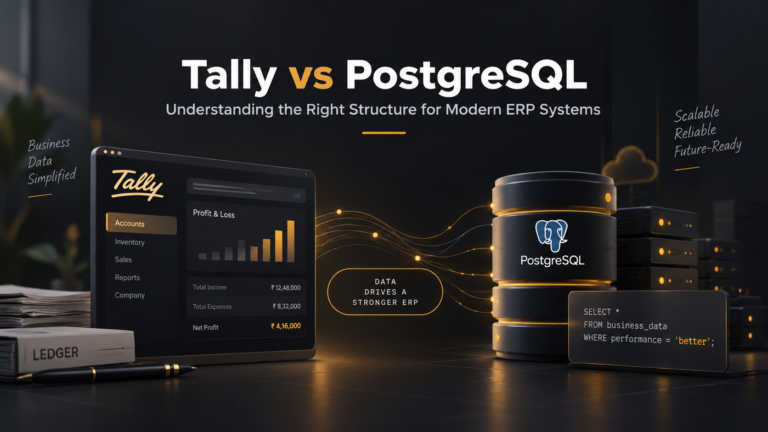

Payroll Automation in ERP: In modern businesses, managing payroll manually can be time-consuming and error-prone. A payroll ERP module within an integrated enterprise resource planning (ERP) system automates salary processing, reducing errors and ensuring compliance. Automated payroll solutions use predefined rules and real-time data to calculate wages, deductions, and taxes with precision. By connecting payroll with HR, finance, and time-tracking data, organizations can streamline payroll cycles and deliver accurate paychecks every time.
Many companies face hidden costs from manual errors and outdated payroll processes. According to industry experts, payroll automation “reduces human error, increases efficiency, and ensures accurate payments.” Automated systems also eliminate repetitive tasks like data entry, freeing HR teams to focus on strategic work. For example, by integrating time and attendance data directly into payroll, errors from duplicate entry are virtually eliminated. Automated payroll thus acts as a compliance payroll system – it continually updates to local labor laws and tax rates, ensuring each paycheck meets regulatory requirements.
Table of Contents
What Is a Payroll ERP Module?
A payroll ERP module is a specialized component of an ERP system that handles all payroll-related functions. It centralizes employee salary data, attendance records, tax formulas, and compliance rules into one platform. For instance, ERPNext’s HR & Payroll ERP module is designed “to streamline and automate human resource management (HRM) operations and cloud payroll processes, ensuring accuracy, compliance, and enhanced employee satisfaction.” In practice, this means that data entered once (such as attendance or salary structure) automatically flows into payroll calculations.
This unified approach makes salary processing in ERP more efficient. Instead of juggling multiple spreadsheets or standalone payroll software, organizations use one system that keeps HR, payroll, and finance in sync. Real-time integration means changes to an employee’s record or tax policy immediately affect payroll runs. As one vendor notes, an advanced payroll ERP module “automates every aspect of employee data, salary processing, attendance, and compliance.” By applying predefined salary formulas and attendance rules, the system generates payroll results that are “quick and error-free.” This end-to-end visibility helps prevent mistakes like paying an absent employee or misapplying tax exemptions.
Benefits of Payroll Automation Software
Automating payroll within an ERP brings multiple benefits:
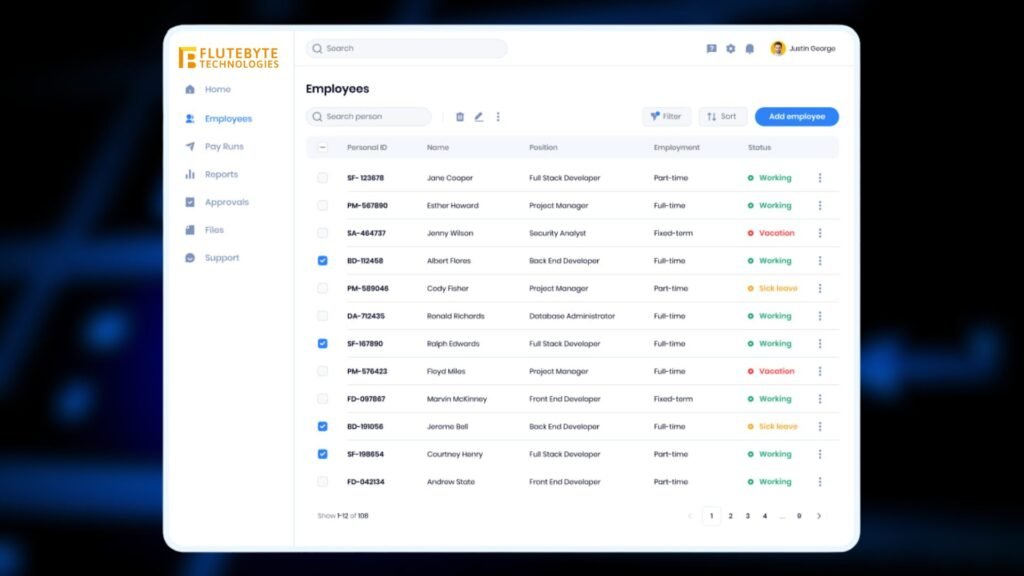
- Accuracy and Consistency. Automated payroll software calculates earnings, deductions, and taxes precisely using preset rules and current tax rates. Built-in validation checks flag anomalies (e.g. unusually high commission) before payroll is finalized. This dramatically cuts down on manual errors. As noted by payroll experts, automation “eliminates compliance risks” by reducing human mistakes.
- Time Savings and Efficiency. Automated payroll can slash the time to run payroll by up to 90% (according to industry surveys). Tasks like importing attendance hours or applying tax tables happen instantly, rather than via slow manual steps. Routine steps – from overtime calculation to payslip distribution – run in minutes. In one example, companies saw a huge payroll time reduction simply by using software to merge time data and payroll calculations.
- Integrated Data Flow. Modern payroll ERP systems connect directly with HR records and time/attendance systems. This means hours worked flow straight from time clocks into payroll, leaving no room for forgotten timesheets or double-entry. Integration ensures all departments see the same data: HR and finance report figures match because they use the same payroll output.
- Compliance and Reporting. Staying current with tax laws is challenging, but payroll automation software does it for you. Systems automatically adjust calculations to reflect new labor laws, tax rates, and filing deadlines. They produce audit trails and reports to support regulatory reviews. In short, an automated system acts as a compliance payroll system: it continually updates tax tables, generates necessary forms, and keeps detailed logs of each payroll run.
- Security and Transparency. Centralized payroll in ERP means sensitive data is stored securely and accessed through controlled permissions. Automated checks and encryption protect personal and financial data. Employees and managers can audit payroll figures easily, which builds trust. One source highlights that integrated systems give “real-time analytics” and “data-driven decision-making” for payroll and HR teams.
Collectively, these benefits make payroll automation software a strategic asset. By eliminating manual data entry and aligning payroll with corporate data, organizations reduce costs and improve accuracy simultaneously.
Ensuring Payroll Accuracy and Zero Manual Errors
One of the strongest arguments for automating payroll is error reduction. Manual payroll processes inherently invite mistakes – a mistyped number or missed timesheet deadline can throw off paychecks. Automated payroll systems virtually eliminate these errors. The software calculates wages, tax withholdings, and deductions based on fixed rules, so the chance of a typo is gone. Validation checks and alerts catch inconsistencies (for example, entering an incorrect hours value).
Research shows the impact of such accuracy gains: one blog notes that automated payroll “calculates earnings, deductions, and taxes with precision” and includes checks to further reduce mistakes. By contrast, manual processes are “especially risky” for large companies because cut corners can lead to compliance failures and fines. Automated systems, on the other hand, ensure each run follows the same method.
The outcome is zero (or near-zero) manual errors. For example, when time and attendance systems feed data directly into payroll, there’s no need for retyping hours. This seamless integration “ensures that information is consistent across the board.” As one provider describes, electronic time tracking software “collects, tracks, and manages employee work hours and pay,” then enables managers to “review and approve employee time for payroll with accuracy.” In practice, this means an employee’s shift data automatically populates the payroll run – no lost paper timesheets, no missed overtime, and no calculation errors on basic pay.
In sum, a payroll automation software enforces accuracy by design. It performs calculations reliably and catches mistakes early. This leads to higher trust: employees receive correct pay on schedule, and managers can certify payroll runs knowing they are error-free.
Compliance in Payroll Processing
Modern businesses operate under complex payroll regulations, which vary by country and region. A key promise of automated payroll systems is that they act as a compliance payroll system, automatically adapting to new rules. Automated payroll solutions include built-in tax tables and labor law logic that update as laws change. This continuous update process prevents outdated formulas from producing incorrect payrolls.
For example, a payroll compliance solution will automatically adjust calculations to match local tax rates and filing deadlines. It also generates legally required documents – like year-end tax forms – and keeps audit trails of every change. As experts note, this “reduces legal risk, fines, and reputation fallout” that can result from non-compliance. One benefit of such systems is audit readiness: every payroll run is logged, and comprehensive reports are available to prove compliance during audits.
Another compliance benefit is centralized oversight. When payroll is part of an ERP, CFOs and compliance officers gain a clear, unified view of payroll data. Discrepancies that might be hidden in spreadsheets become visible via dashboards and reports. For example, payroll software can easily produce reports on federal and state taxes withheld, or show how much PTO liability is accrued. Centralization also means changes (such as a new tax law) only need to be entered once to affect all relevant payroll computations.
Overall, a good compliance payroll system builds confidence. It ensures regulatory changes (tax hikes, benefit mandates, etc.) are applied automatically. It also records and reports each step, so the finance and HR teams can demonstrate they’re following all rules. These safeguards make audits smoother and reduce the risk of penalties.
Key Features: Attendance Integration, Tax Calculation, and Payslip Automation
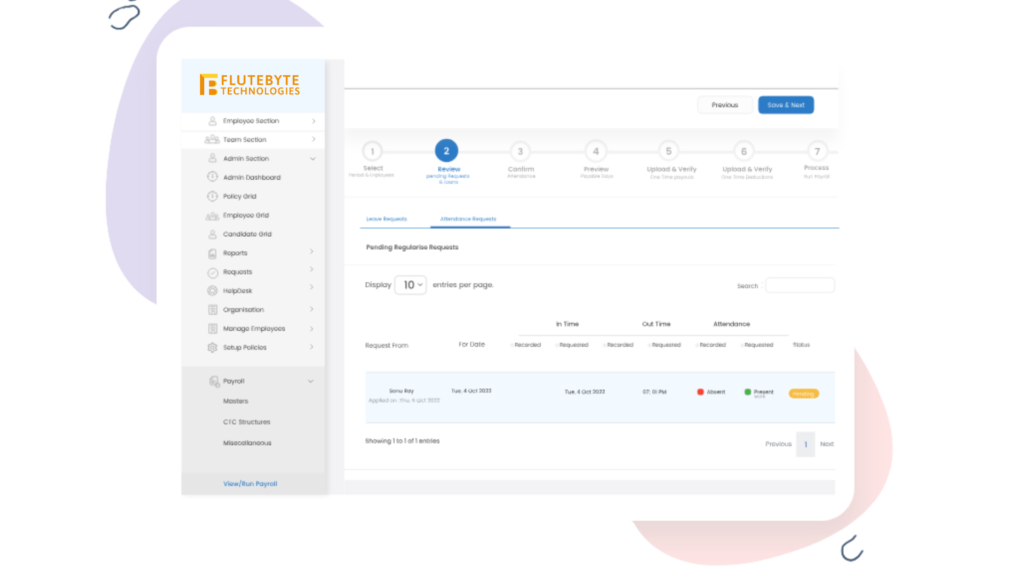
Effective payroll automation goes beyond basic calculations. The best payroll ERP modules include features like attendance integration, tax calculation, and payslip automation:
- Attendance Integration: Integrating time and attendance data with payroll eliminates manual timesheet errors. Automated systems can pull clock-in/out or shift data directly from time-tracking devices into payroll calculations. For instance, the ERPNext payroll module can “capture employee attendance data seamlessly through biometric devices, mobile apps, or manual entry, reducing manual errors and ensuring accuracy.” This means when an employee clocks in, their hours instantly become part of the payroll run, removing the need to re-enter data. The result is exact calculation of regular hours, overtime, and missed punches. As one expert article notes, manually tracking time separately from payroll “opens the door to errors and inaccuracies,” whereas integration ensures data consistency and on-time payroll.
- Automated Tax Calculation: Tax laws are complex and ever-changing. A robust payroll system automates all tax computations. It applies correct federal, state, and local tax rates to each paycheck, considering exemptions and benefits, and generates detailed tax reports. For example, a modern HRMS “automates tax deductions and generates precise tax reports, ensuring that your payroll processing complies with local and international tax regulations.” This feature reduces errors like under-withholding or missed filings. The system can also produce year-end tax forms automatically. By simplifying tax management, automation protects businesses from errors that could lead to audits or penalties.
- Payslip Automation: With payroll automation, generating payslips becomes instantaneous. Instead of printing and distributing paper pay statements, the software creates a digital payslip for each employee as soon as payroll processes are complete. These payslips detail gross pay, deductions, taxes, and net pay. Automation ensures that payslips are uniform and sent out on time. Employees receive their pay information via a portal or email, which streamlines communication. For instance, many HRMS solutions allow employees to “access their salary slip directly via the employee self-service portal, eliminating paperwork and delays.” Some systems even save a history of payslips so employees or HR can refer back to any past pay period easily. This ease of distribution means no more lost pay stubs and instant access for audits or inquiries.
- Employee Self-Service: Modern payroll modules often include an Employee Self-Service (ESS) portal. Through ESS, workers can view payslips, update personal information, and manage tax forms without HR intervention. This transparency reduces inquiries and paperwork. For example, some ERP systems let employees “view online pay slips and manage their profiles through a secure self-service portal.” When employees can check their hours, leave balances, and pay statements on their own, they spot any issues immediately (and trust that payroll is being done correctly). This also lightens the HR workload.
Together, these features mean payroll automation software is not just about number-crunching. It provides end-to-end support: from tracking time, computing taxes, to delivering pay information securely. By combining attendance integration, precise tax calculation, and payslip automation within one system, businesses achieve higher accuracy and faster payroll cycles. Employees benefit from timely, transparent payslips, and HR saves hours of administrative work.
Flutebyte HRMS and Payroll ERP Solutions
Flutebyte Technologies offers a comprehensive HRMS platform with an integrated payroll ERP module. This solution brings all the above features together. Flutebyte’s HRMS automates attendance tracking, tax computation, salary processing, and employee communications in one system. For example, it supports automated salary calculations and deductions to ensure each payroll run is “processed accurately and on time.” It also provides employee self-service, so staff can view their payslips and personal details online. By centralizing HR and payroll data, Flutebyte’s solution reduces manual errors and ensures compliance with up-to-date tax laws.
Implementing Flutebyte’s payroll automation software means you can retire redundant spreadsheets and legacy systems. The HRMS synchronizes with other ERP modules (finance, accounting, project tracking) so payroll figures automatically feed into financial reports. Flutebyte’s platform also includes notifications and approval workflows to catch any exceptions early. As a result, payroll teams save time and eliminate risks.
Ready to streamline your payroll processes? Contact Flutebyte Technologies to learn how our HRMS and payroll solutions can deliver accuracy, compliance, and efficiency for your organization. Visit the Flutebyte HRMS Software page to explore our offerings and get started on a tailored implementation.
Other Tools by Flutebyte Technologies:
- Domain Authority Checker: https://flutebyte.com/domain-authority-checker/
- Website Speed Test: https://flutebyte.com/check-your-website-speed/
- Ad Spend Calculator: https://flutebyte.com/ad-spend-calculator/
Frequently Asked Questions
Q1: What is a payroll ERP module?
A payroll ERP module is a part of an enterprise resource planning system dedicated to handling payroll tasks. It centralizes salary data, attendance records, and tax rules into one system. This module automates salary computation, deductions, and compliance checks, allowing payroll runs with minimal manual input. In short, it’s an integrated payroll processing engine within a broader ERP platform.
Q2: How does payroll automation software improve accuracy?
Payroll automation software uses predefined formulas and real-time data, which eliminates manual calculations and data-entry errors. It cross-references attendance and payroll rules automatically. For example, when integrated with attendance tracking, work hours flow directly into payroll calculations, reducing duplicate entry and mistakes. Built-in validation flags inconsistencies before paychecks are issued, ensuring the final output is precise and error-free.
Q3: What makes a payroll system “compliant”?
A compliant payroll system automatically applies current tax laws and labor regulations to each payroll run. It updates tax tables and generates necessary legal reports (like tax filings or government filings) on schedule. By doing so, it “reduces legal risk, fines, and reputation fallout” associated with outdated calculations. Automated compliance features also include audit logs and reports that demonstrate adherence to laws, which is critical for legal and financial audits.
Q4: How does attendance integration help payroll accuracy?
Attendance integration means that time-tracking data (such as clock-in/out records) flows directly into the payroll system. This eliminates manual transfer of hours, which is a common source of mistakes. Integrated systems ensure that an employee’s actual hours are captured accurately in payroll calculations. For example, ERP modules can “capture employee attendance data seamlessly” to reduce manual errors. The result is that overtime, shift differentials, and missed punches are handled correctly every pay period without manual reconciliation.
Q5: What is payslip automation and how does it benefit employees?
Payslip automation is the automatic generation and distribution of digital pay statements to employees. With this feature, each payroll run produces payslips that detail gross pay, deductions, and net pay. Employees can then view or download their payslips via a secure portal (employee self-service). This streamlines the process: there’s no paperwork to handle and no delays in delivery. Employees benefit by accessing their salary slips anytime online, which “eliminates paperwork and delays” and allows quick resolution of any questions. It also reduces administrative work for HR, since manual payslip distribution is not needed.